

Visualize
Wallpaper visualizer for your own room photo
To see wallpaper on your own wall, photograph the room, mark the wall you would paper, and describe the pattern, its scale and its colors. Without a style, Interify papers only that wall and keeps the trim, furniture and the other walls as they were.
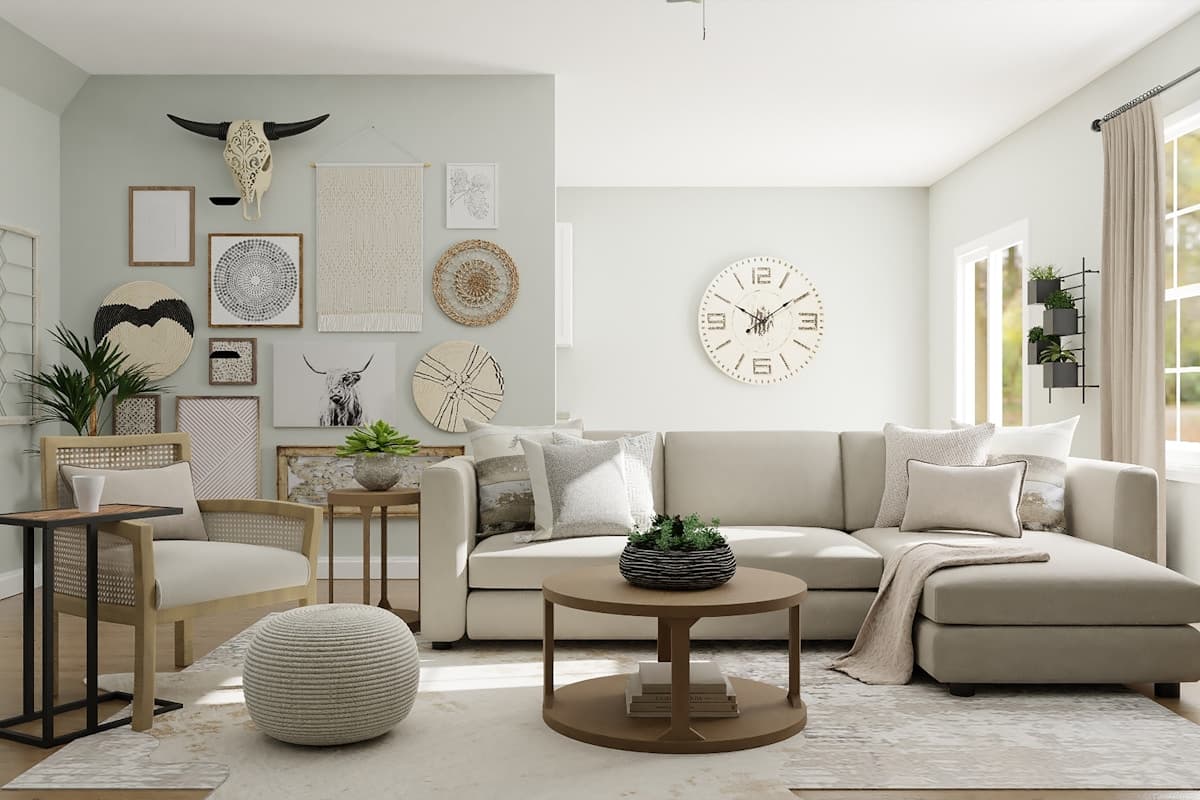
- One wallSmall-scale botanical print in soft green on an off-white ground
Key facts
- Mark and describe
- Rectangle, lasso and marker tools outline the areas to change; each area gets its own note.
- Styles
- 20 interior style presets, or describe your own
- Cost of a version
- 1 credit. Packs start at $9 for 30 credits, down to $0.16 a credit
- Watermark
- Free downloads carry a small watermark; buying any pack removes it
How to do it in Interify
Shoot the wall with the room around it
Include the trim, some floor and the nearest furniture. Pattern is judged against what surrounds it, and a wall alone tells you very little.
Mark the wall, or just the part you mean
The rectangle tool suits a whole wall; the lasso suits a fireplace wall, an alcove or the area above a chair rail.
Describe the pattern in plain words
Say the motif, how big it reads, the background color and the colors in the pattern. Say whether it is dense or sparse, which matters more than the motif itself.
Attach a reference if you have the sample
Photograph the sample and attach it to the area as a reference. That gets the preview close to the real pattern, closer than a description of one.
Compare against a painted version
Run one version with the wallpaper and one with a plain color from the same photo, then compare. It is the fastest way to know whether you want pattern at all.
Notes you can copy
Each marked area carries its own note. Copy one of these and change the words that don't fit your room.
- One wall
- Small-scale botanical print in soft green on an off-white ground
- One wall
- Large-scale dark floral on a deep navy ground, matte finish
- All walls
- Plain grasscloth in a warm sand tone, visible texture, no pattern
- Above the chair rail
- Narrow stripe in two shades of clay above the rail, painted below
- Alcove
- Paper the inside of the alcove only, leaving the wall around it painted
- Ceiling
- Paper the ceiling in a small sparse pattern, walls left plain
Photographing the room
The photo decides how much of the result looks like your room.
- Shoot the wall straight on and in daylight. A pattern seen at an angle is hard to judge and harder to rebuild.
- Keep the trim and the floor in frame, since the question is usually whether the pattern fights them.
- Take the pictures off the wall first if you plan to paper it.
- Avoid the flash, which flattens the texture that makes paper look like paper.
- If the wall is long, take one straight-on shot and one from the doorway, so you see the pattern near and far.
One wall or the whole room
A single papered wall is the low-risk version: cheaper, quicker, and the pattern stays a feature. Papering a whole room is a bigger commitment that often works better than people expect, because the pattern stops being a statement and becomes the room's background.
Preview both on the same photo. Seeing a pattern on four walls of your own room is the only honest way to judge it.
Scale, density and how long you will like it
Scale is the main lever. A small, dense print reads almost as texture from across the room; a large motif is furniture, and you see it every time you walk in. Sparse patterns on a plain ground are the easiest to live with.
Pattern taste changes faster than paint taste, which is a reason to be deliberate rather than a reason to avoid it.
Texture instead of pattern
Grasscloth, linen-effect and other plain textured papers give a wall depth without a motif. They suit rooms where you want warmth rather than a feature, and they hide a slightly imperfect wall.
Describe it as a texture in the note, with the color, and judge it in the preview by how the wall reads rather than by any pattern.
Renting, and removable paper
Peel-and-stick papers exist specifically for walls you are not allowed to change permanently, and they come off with less damage than traditional paste. How cleanly depends on the wall surface and the paint underneath.
Previewing first matters more when you are renting, because the budget for experiments is smaller and a landlord may want to see what you are proposing.
Where paper goes wrong
Common misjudgments are a pattern that competes with patterned curtains or a patterned rug, a motif too large for a small wall, and paper in a room with real moisture. The fix is usually to let the paper be the only pattern in the room.
That is easy to check in a preview, because your curtains and rug are already in the photo.
What to expect
What a preview settles, and what it can't.
- The pattern in a preview is a look-alike, not the specific paper you are considering. Order a sample and hold it on the wall.
- Pattern repeat, roll width and drop matching decide how much you need and how it lands on the wall. Those are measurements, not previews.
- It can't tell you about your wall's condition, whether it needs lining, or how the paper behaves in a bathroom or behind a cooktop.
- Screen color is an approximation, and a pattern read on a phone looks smaller and quieter than it does on a wall.
Examples
Made with Interify, each from one photo and the areas marked on it. Switch a card between the original and the result.
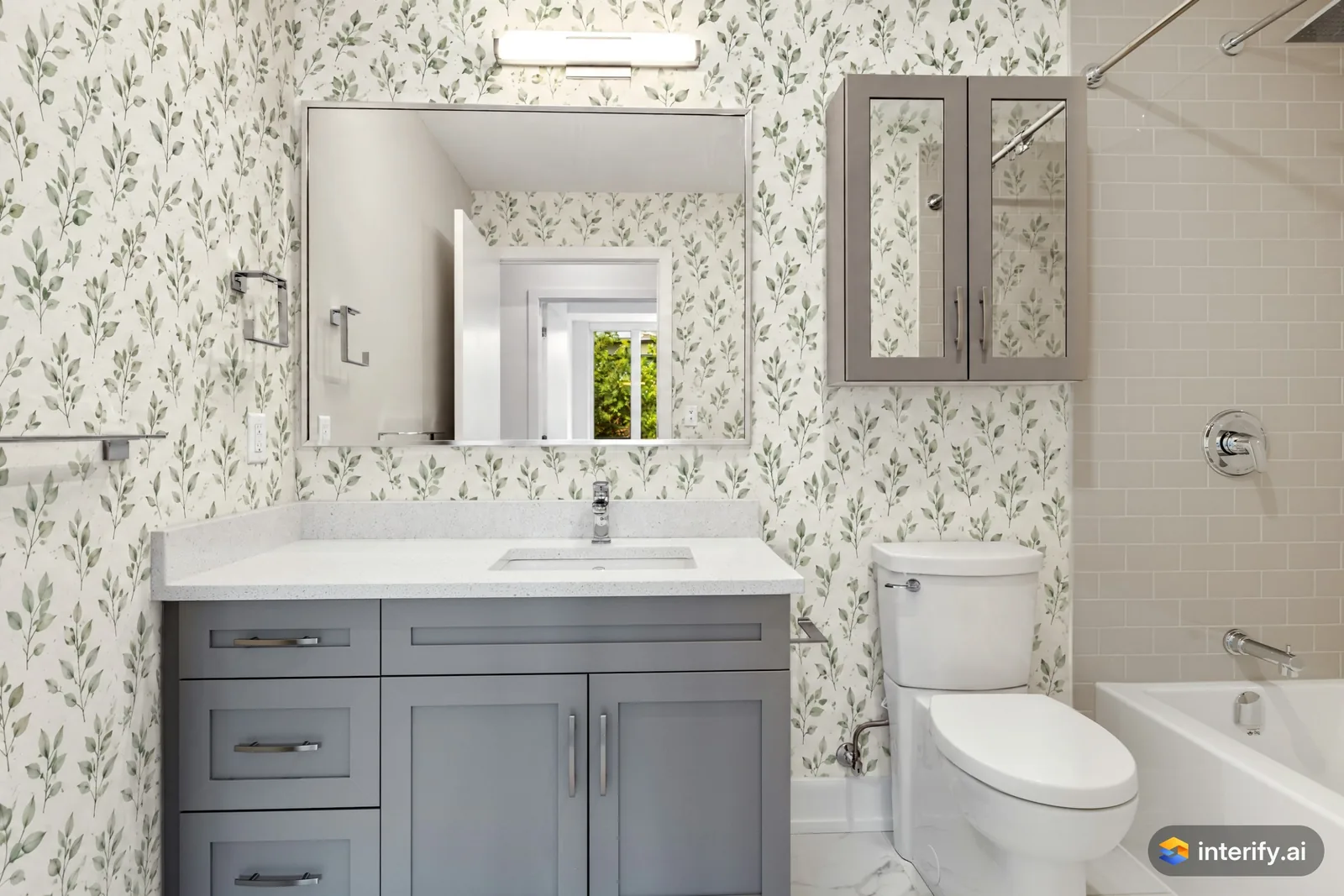
Bathroom: botanical wallpaper
Bathroom
- Wallpaper with a small green leaf pattern on white
Made with Interify 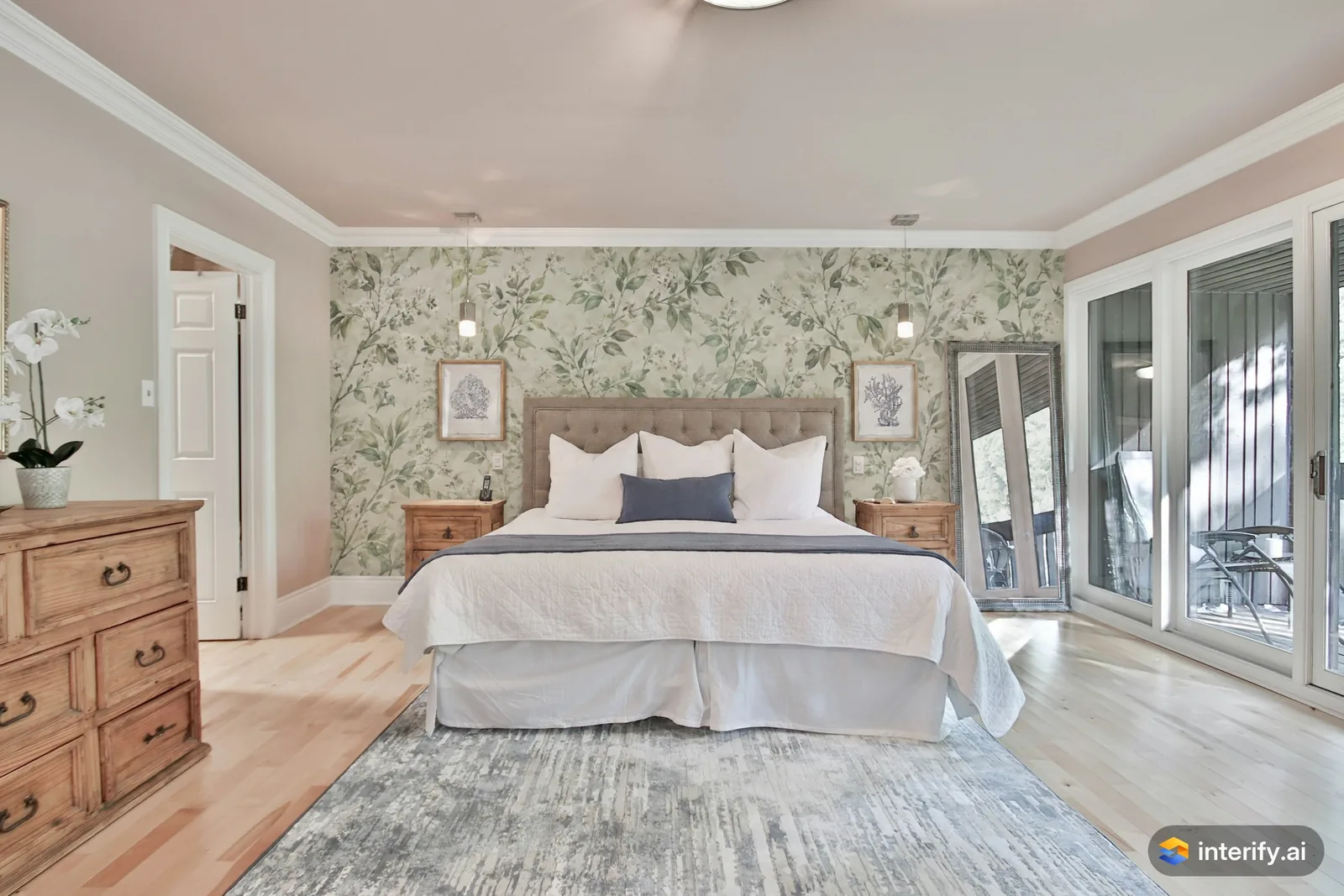
Bedroom: botanical wallpaper behind the bed
Bedroom
- Wallpaper with a soft green botanical pattern
Made with Interify 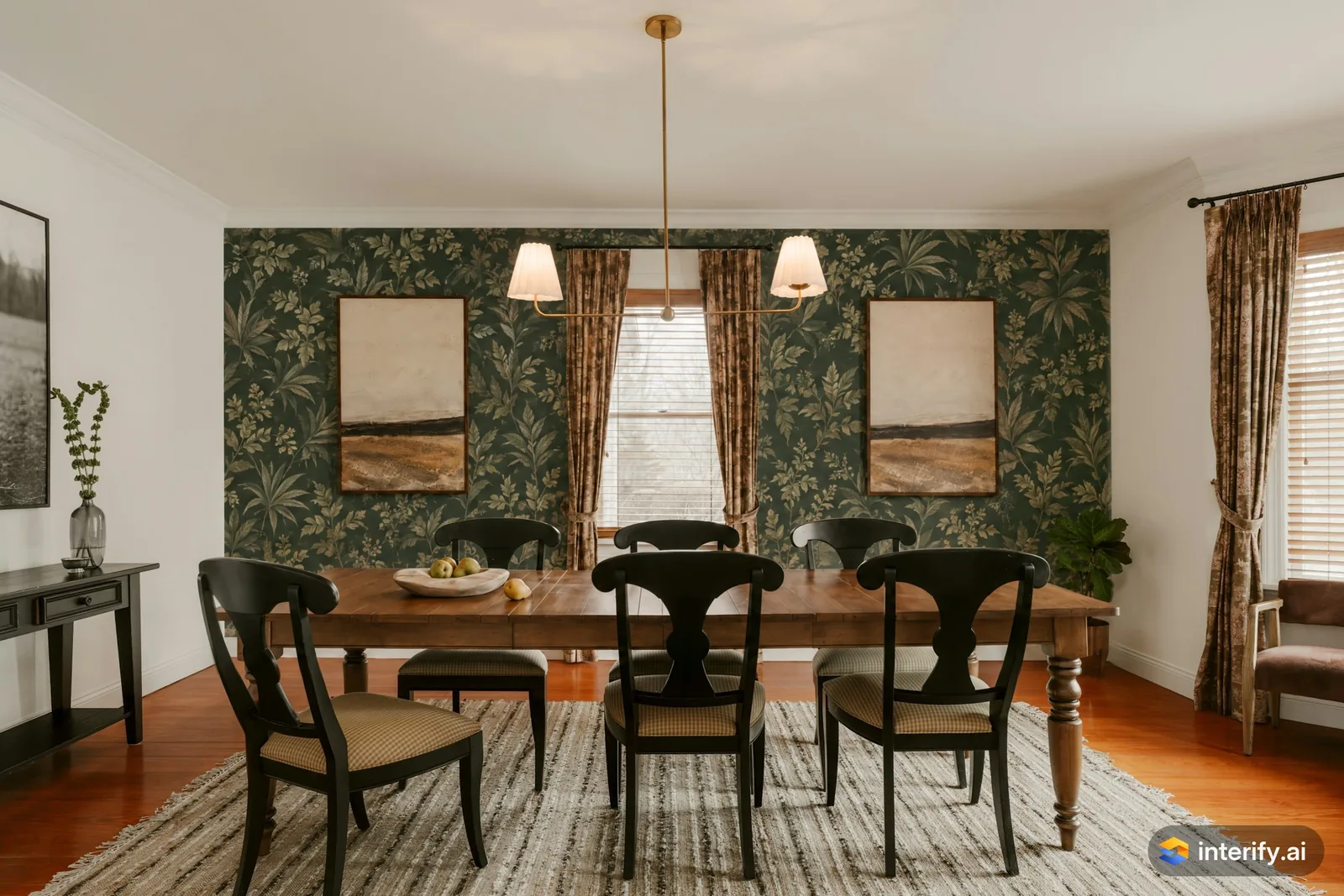
Dining room: dark green botanical wallpaper
Dining room
- Wallpaper with a dark green botanical print
Made with Interify 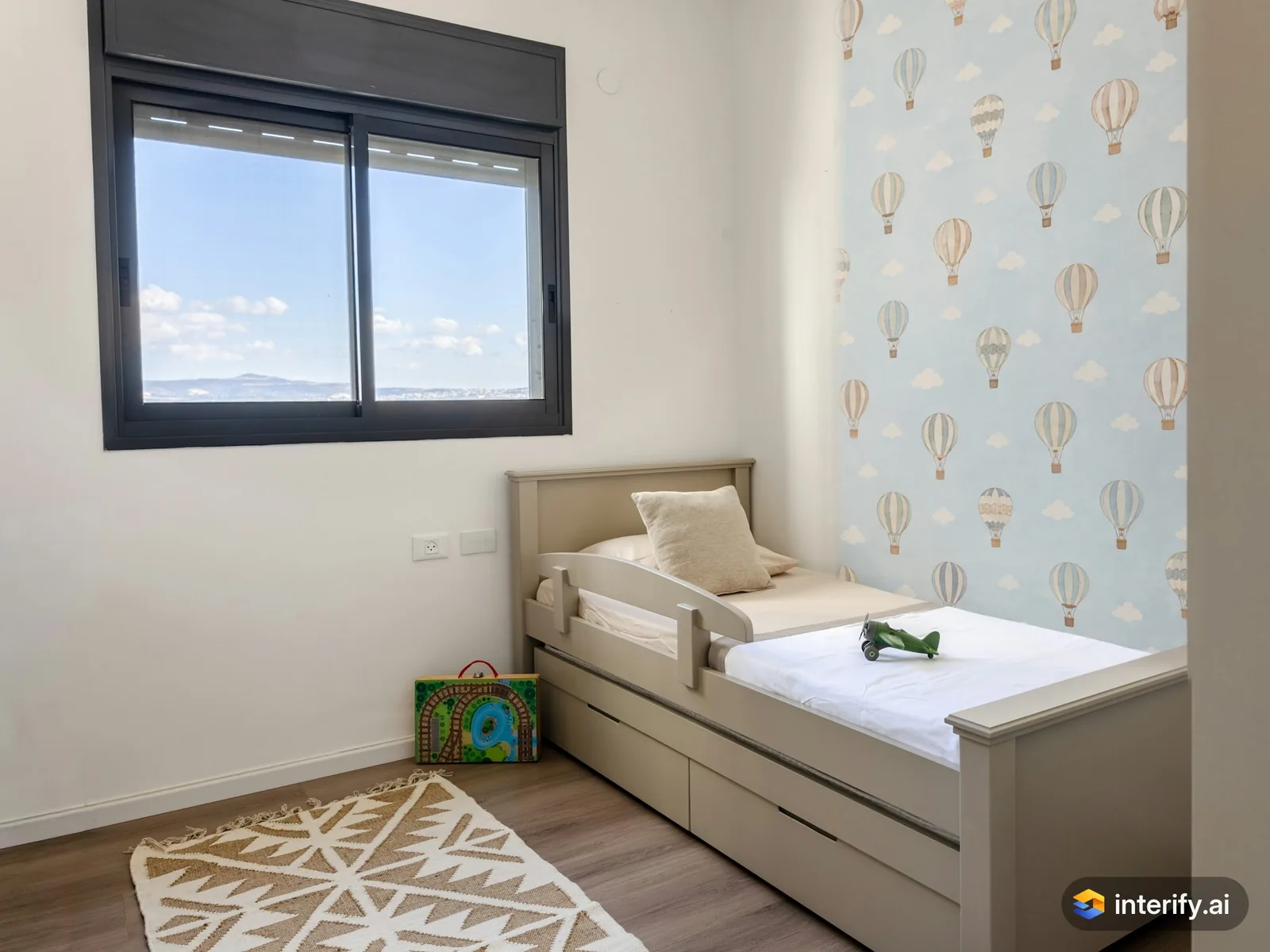
Kids' room: hot-air balloon wallpaper
Kids' room
- Wallpaper with small hot-air balloons on a pale blue background
Made with Interify
Common questions
Can I see wallpaper in my own room?
Yes. Mark the wall, set the action to Replace material and describe the pattern, its scale and its colors. With no style, the trim, furniture and other walls stay as they were.
Can I preview a specific wallpaper?
You can attach a photo of the sample to the area as a reference, which gets you close. It is a look-alike rather than that exact product.
Can I paper one wall only?
Yes, and that is the usual way to try it. Mark one wall, or just a fireplace wall or alcove, and nothing else changes.
How much wallpaper will I need?
A preview can't say. Quantities depend on the roll width, the pattern repeat and the drop, so measure the wall and work from the paper's specification.
Read on
- BedroomSee bedroom makeover ideas in a photo of your own room: mark the wall behind the bed, the floor or the closet and say what each should become.
- Dining roomTry dining room ideas in a photo of your own room: mark the walls, the table or the light above it, and see a photorealistic preview of the change.
- Paint colorsA paint color visualizer that uses your own photo: mark the wall and name the color, and with no style the trim and furniture stay as they were.
- RentersPlan changes to a rented home: preview reversible ideas in your own photo, and show a landlord exactly what you are asking permission for.
- English Country styleWhat the English Country preset does to a room, and when to pick it.
- How it worksThe whole walkthrough, from the photo to the share link.
See it in your own room
The sample room needs no account. Your own photo starts with 3 credits free and no card.