

Rooms
Entryway and hallway ideas in your own photo
To plan an entryway, photograph the entry as you see it from the front door, mark the walls, the floor, the storage or the lighting, and write what each should become. Interify returns a photorealistic preview of your own entry, and without a style the rest of it stays as it was.
Key facts
- Mark and describe
- Rectangle, lasso and marker tools outline the areas to change; each area gets its own note.
- Styles
- 20 interior style presets, or describe your own
- Time per version
- Usually about a minute
- Output
- HD results, up to 3072 px
How to do it in Interify
Shoot from the front door and from the other end
An entry is a route, so it has two views. Take both: one looking in, one looking back toward the door, and keep the camera level.
Mark the walls and the floor
Entryways are narrow, so the walls and floor are most of what you see. Use the rectangle tool for each and name the color, material and finish.
Mark where storage would go
Outline the wall or alcove and set the action to Add item. Describe hooks, a bench or a run of closed storage, and say how deep it can be.
Add a mirror and a light
Mark the wall for the mirror and the ceiling or wall for the fixture. In a dark entry, these two do more than any color change.
Refine the door and the trim
Doors, door casing and baseboard are fiddly in a narrow view. If they come back wrong, brush over them and run Refine rather than regenerating the whole view.
Notes you can copy
Each marked area carries its own note. Copy one of these and change the words that don't fit your room.
- Walls
- Warm off-white paint above, deep green on the lower third with a slim chair rail
- Floor
- Patterned encaustic-look porcelain tile in black and white, narrow grout
- Storage wall
- Add a shallow bench with shoe storage under it and a row of hooks above
- Mirror
- Tall arched mirror with a thin brass frame opposite the door
- Ceiling light
- Flush ceiling light in opal glass, nothing hanging low
- Front door
- Paint the inside of the front door the same green as the lower walls
Photographing the room
The photo decides how much of the result looks like your room.
- Shoot with the front door closed and the lights on if the entry is dark. That is the light it actually has.
- Put the coats and shoes away for the shot. Whatever is in the photo stays in the preview.
- Keep the camera upright and centered in the hallway. A narrow space tilts badly and the walls stop looking vertical.
- Include the floor and the bottom of the walls. The baseboard and the floor junction are where a material change has to land.
- Take one shot standing back through the doorway of the next room if the hallway is too narrow to frame from inside.
An entryway is a route first
Everything in an entry competes with getting through it. Shallow storage, a mirror instead of a picture, doors that still open fully: the constraint is width, not style.
Preview the version with storage in place and then measure the walkway that is left. If a bench costs you the clear path to the stairs, the preview has done its job by showing you.
Color in a space with little daylight
Many entryways have no window, so they are lit by fixtures and by whatever light comes from the rooms off them. Pale colors do not reliably make a dark entry feel brighter; they can read gray and flat.
A deeper color with good lighting often works better than a pale one in gloom. This is a judgment rather than a rule, which is exactly why it is worth seeing both versions of your own entry.
Floors that take the traffic
The entryway floor takes grit, water and every pair of shoes in the house. Tile and stone cope best, engineered wood and good vinyl cope well, and soft carpet right at the door rarely ends well.
A patterned floor is a common choice here because an entry is small, so a bold pattern stays a detail rather than taking over the home. Write the pattern and the grout into the note.
Storage that fits a narrow space
The practical pieces are shallow: hooks at adult and child height, a bench 14 to 16 inches deep, shoe storage that closes, and a shelf for keys. Anything deeper starts to block the route.
Mark the wall and describe the depth you can afford to lose. Seeing it in place is the quickest way to know whether the idea survives the width of your hallway.
Lighting and mirrors
An entry needs light at the door and light along the route. A flush ceiling fixture avoids a pendant swinging where people walk, and wall lights give a softer wash along a long hallway.
A mirror opposite or beside the door bounces the light that is there and gives you somewhere to check yourself on the way out. Both are cheap changes with visible effect, so they are good first previews.
Styles that suit an entryway
Mediterranean and English country suit entryways with patterned tile and painted paneling. Minimalist keeps a narrow space clear. Art Deco suits a geometric floor where the entry is the only place you would risk one.
A preset changes the whole photo at once. For paneling, tile and storage, mark the areas and name the materials.
What to expect
What a preview settles, and what it can't.
- Entryways are the hardest spaces to photograph and the hardest to preview, because there is nowhere to stand. Expect to shoot twice and mark small areas.
- A preview changes surfaces, not space. It won't tell you whether a bench leaves room to open the door or get past with a bag.
- Screen color is an approximation, and entryways are often lit by fixtures rather than daylight. Check samples under the room's own light.
- Built-in storage in a preview is an idea, not a drawing. Depth, hinges and door clearance need measuring.
Examples
Made with Interify, each from one photo and the areas marked on it. Switch a card between the original and the result.
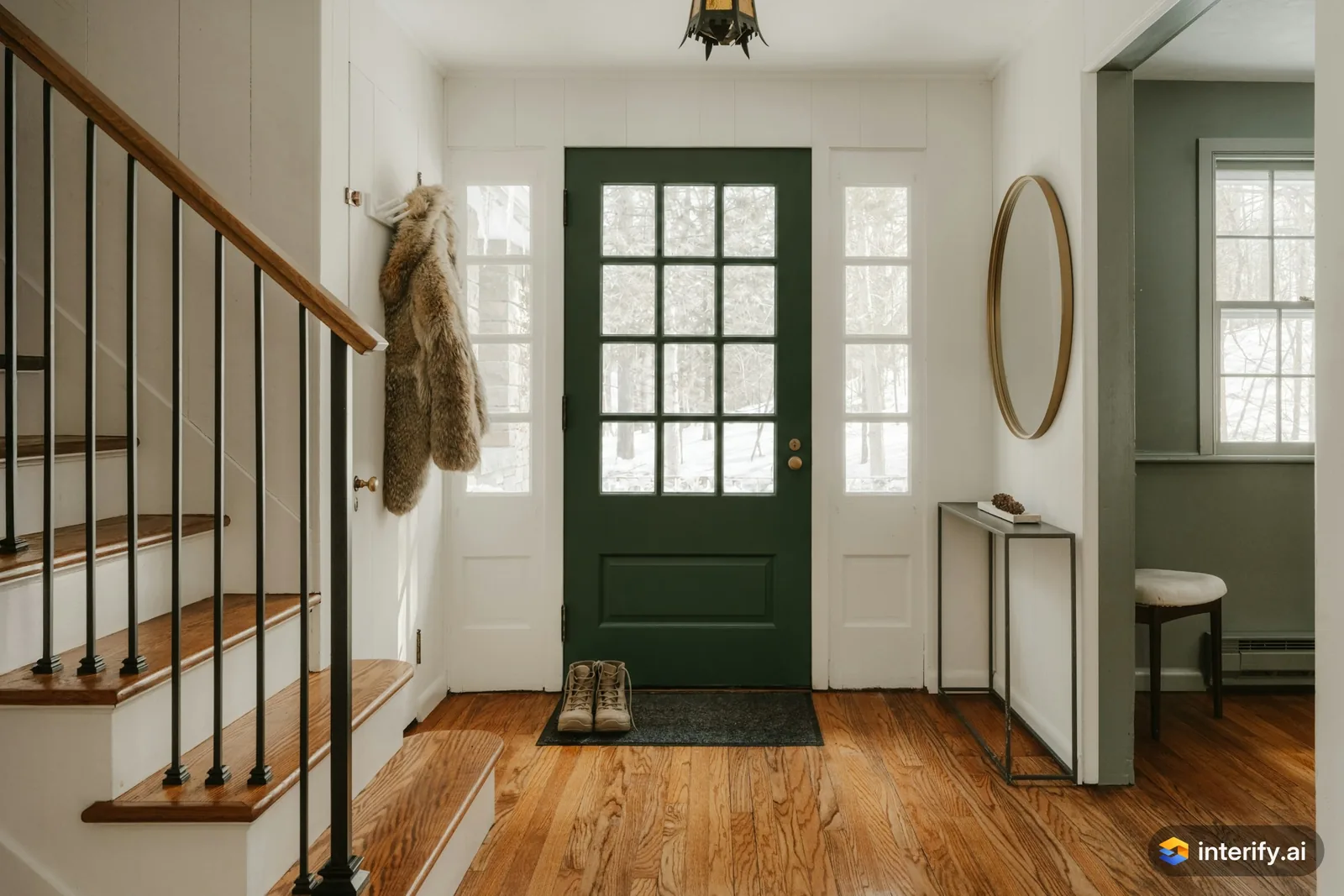
Entryway: deep green front door
Entryway
- Paint the front door deep green
Made with Interify 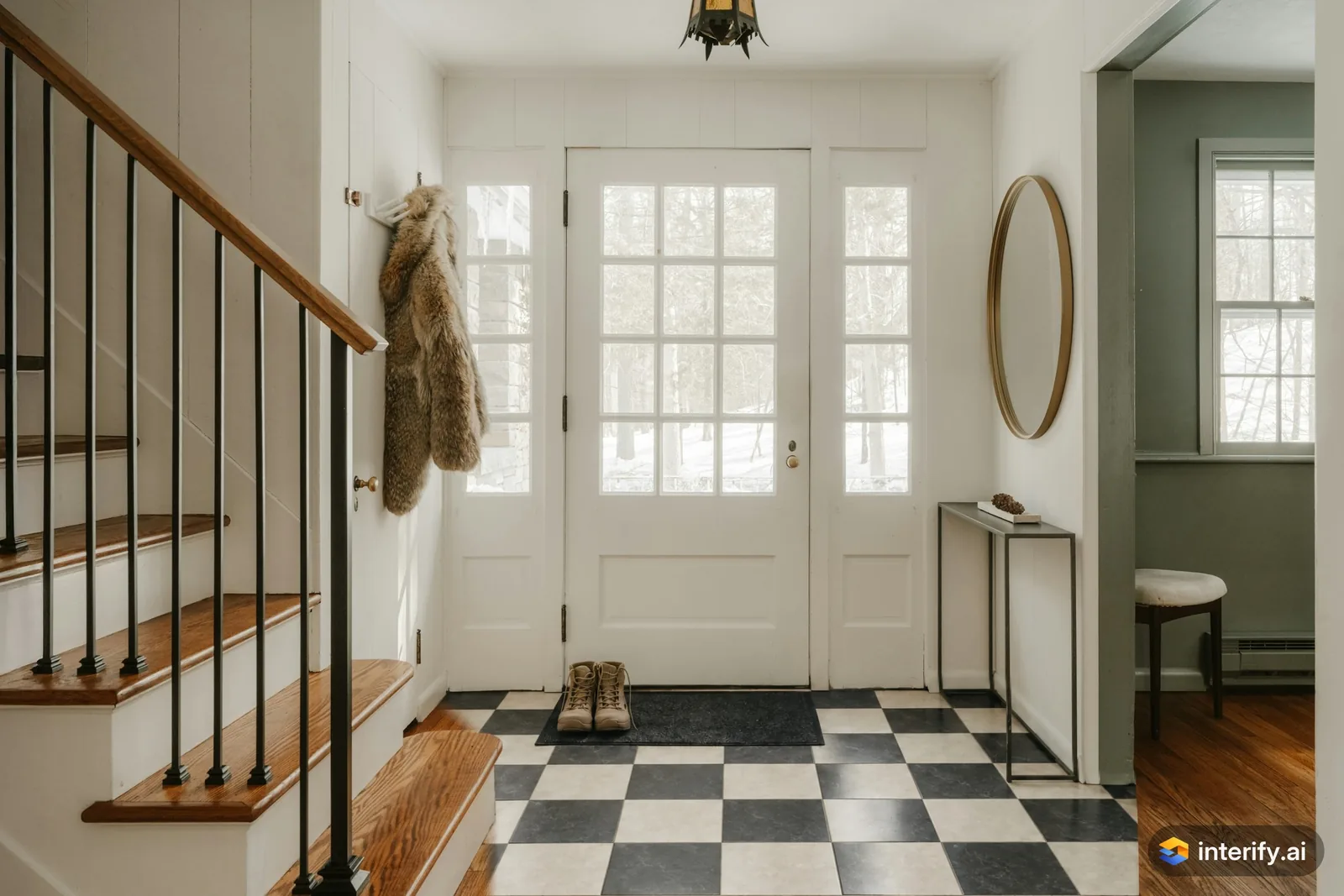
Entryway: checkerboard tile floor
Entryway
- Black and white checkerboard tile floor
Made with Interify 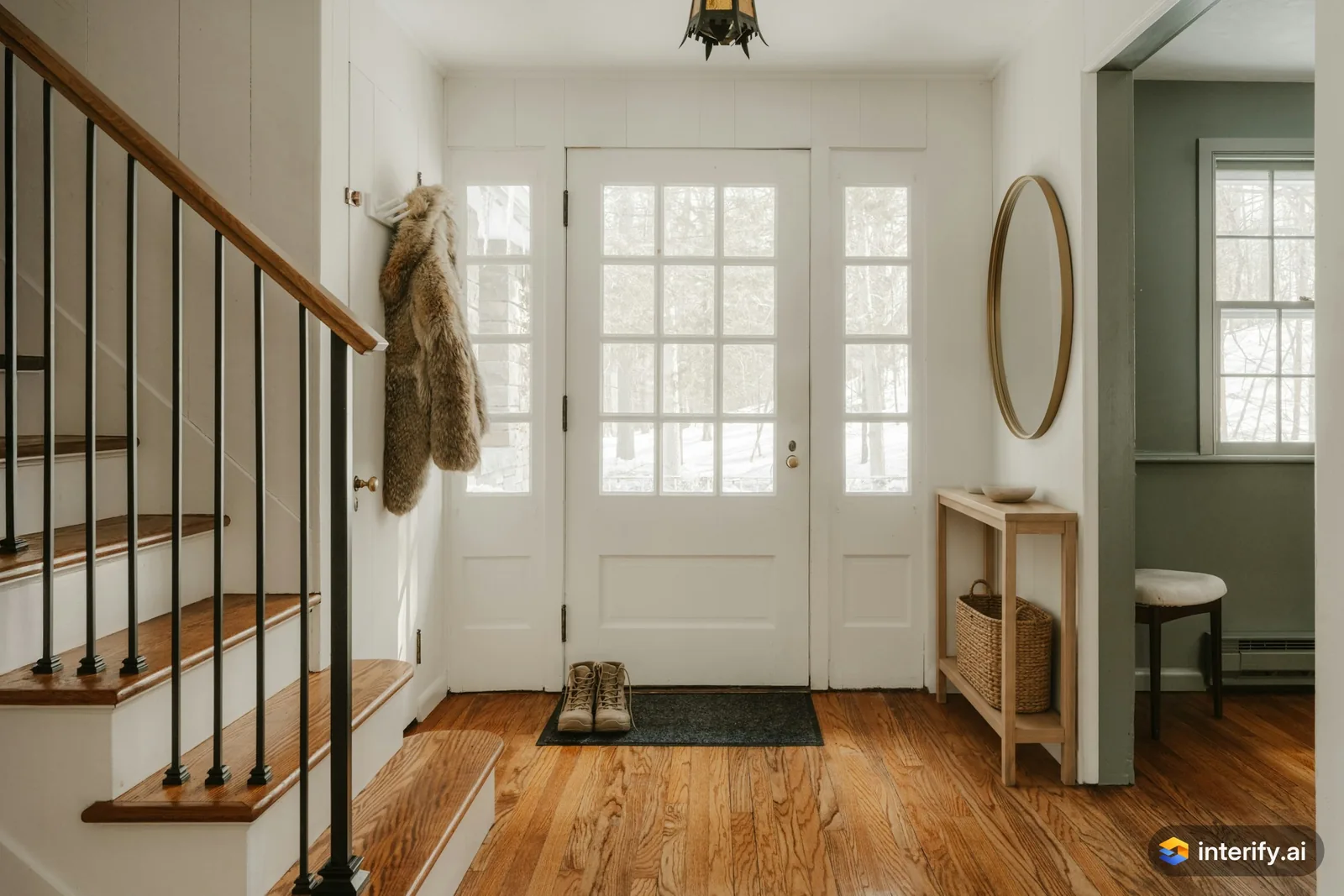
Entryway: oak console table
Entryway
- Light oak console table with a woven basket underneath
Made with Interify 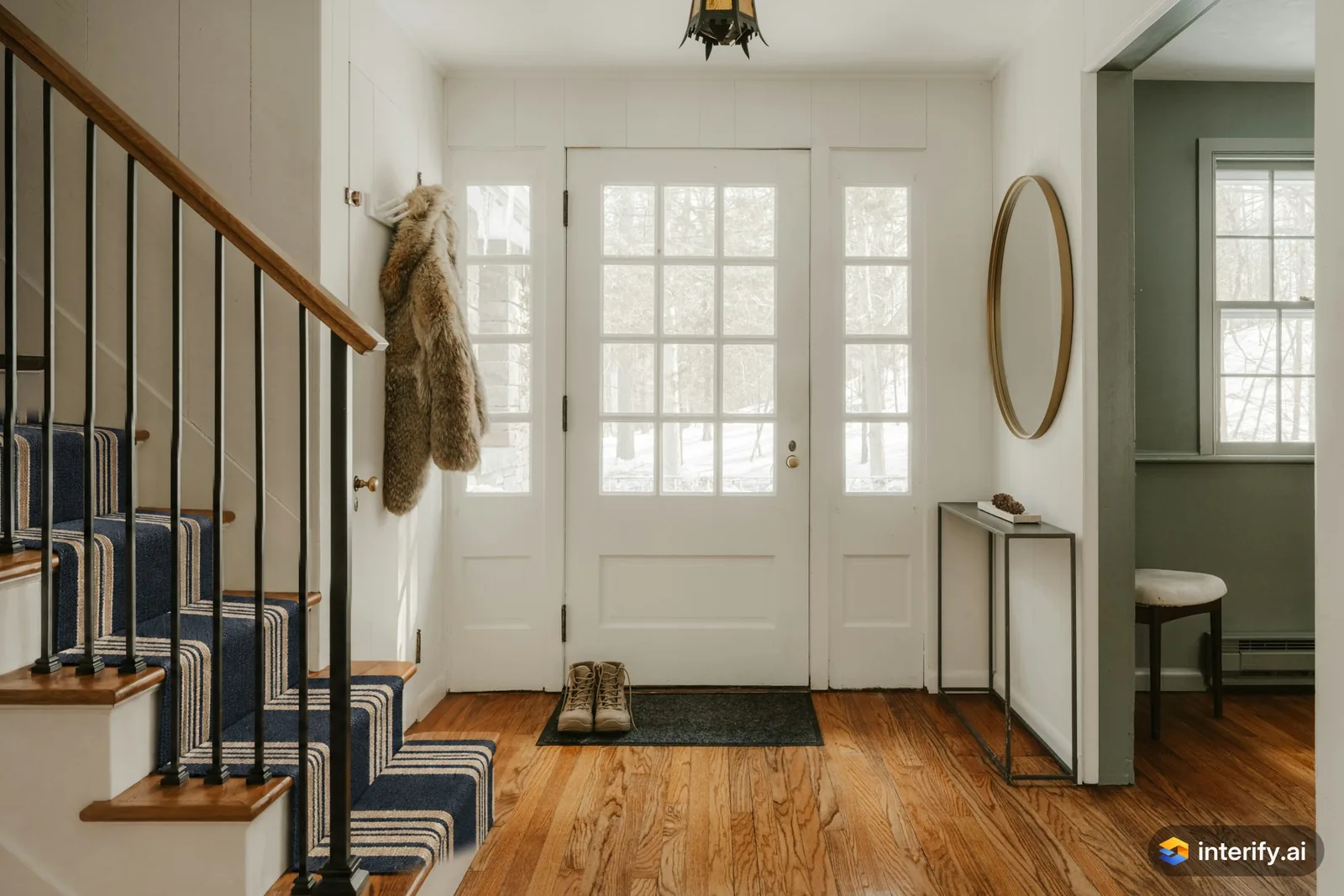
Entryway: striped stair runner
Entryway
- Add a navy and cream striped runner to the stairs
Made with Interify 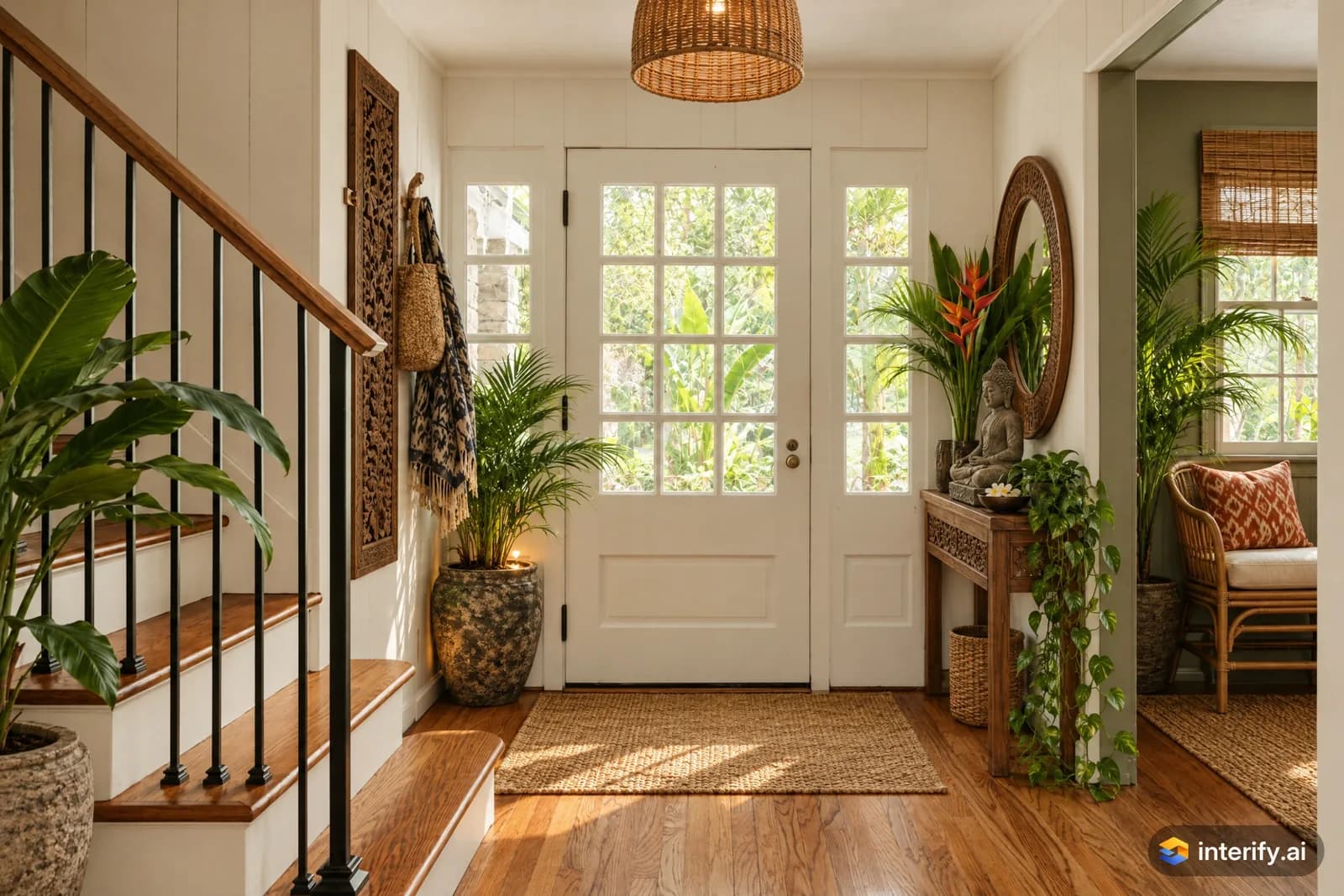
Balinese entryway
Entryway · Balinese
Nothing marked: the style restyled the whole room.
Made with Interify 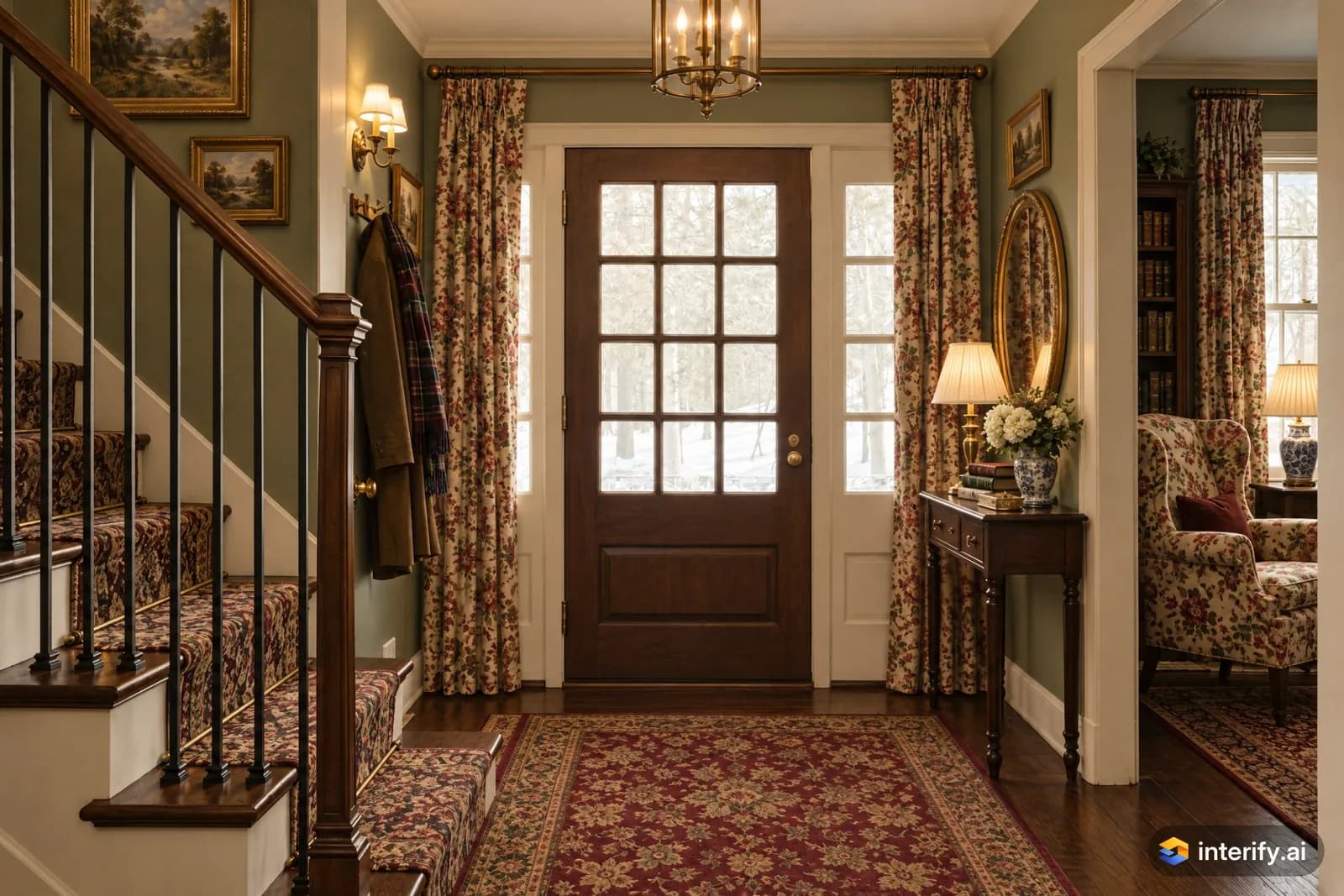
English Country entryway
Entryway · English Country
Nothing marked: the style restyled the whole room.
Made with Interify
Common questions
Can I preview paneling or a chair rail in my entry?
Yes. Mark the lower part of the wall as its own area and describe the paneling, its height and its color. Without a style, the wall above it stays as it was.
My entry is too narrow to photograph. What can I do?
Stand back through the doorway of an adjoining room, keep the phone upright, and take a second shot looking the other way. Two ordinary shots beat one wide, tilted one.
Can I see a new entry floor without changing the walls?
Yes. Mark only the floor and pick no style. Everything else in the photo, including the baseboard and the doors, stays as it was.
Will a preview tell me if a bench fits?
No. It shows you how it looks. Whether it fits is a measurement: check the depth against the width of the entry and the swing of the door.
Read on
- Living roomMark the wall, floor or sofa in a photo of your own living room, say what each should become, and get a photorealistic preview of the room.
- BathroomSee a bathroom remodel in your own photo: mark the tile, vanity or fixtures, describe the finish you want, and compare versions side by side.
- FlooringA flooring visualizer for your own photo: mark the floor, describe the wood, tile or vinyl you are considering, and see it in your actual room.
- Paint colorsA paint color visualizer that uses your own photo: mark the wall and name the color, and with no style the trim and furniture stay as they were.
- LightingPreview light fixtures in your own room: mark where a pendant, wall light or lamp goes, describe it, and judge its scale and placement in your space.
- RentersPlan changes to a rented home: preview reversible ideas in your own photo, and show a landlord exactly what you are asking permission for.
See it in your own room
The sample room needs no account. Your own photo starts with 3 credits free and no card.