

Rooms
Living room visualizer: see the change first
To see a living room redesign before you buy anything, photograph the room, mark the wall, floor or sofa you want changed, and write what each should become. Interify returns a photorealistic version of your own room, and without a style everything you didn't mark stays as it was.
Key facts
- Mark and describe
- Rectangle, lasso and marker tools outline the areas to change; each area gets its own note.
- Styles
- 20 interior style presets, or describe your own
- Cost of a version
- 1 credit. Packs start at $9 for 30 credits, down to $0.16 a credit
- Output
- HD results, up to 3072 px
How to do it in Interify
Photograph the room from a corner
Stand in a corner with your back to the wall so two walls, the floor and the main seating are all in frame. Hold the phone upright at chest height and keep the camera level.
Mark the large surfaces first
Use the rectangle tool for the wall behind the sofa and for the floor. Large flat areas are where a change reads most clearly, and they anchor everything else you try.
Lasso the furniture you want replaced
Draw around the sofa, the armchair or the rug with the lasso tool, following its outline. Set the action to Custom to swap the piece, or Add item for a new rug, and name what goes there.
Write one note per area
Keep each note to one change in plain words: the color, the material, the piece. If you have a photo of the fabric or floor you are considering, attach it to that area as a reference.
Generate, compare, then refine
Compare the result with the original. If an area came out wrong, brush over that part with Refine rather than the whole room.
Notes you can copy
Each marked area carries its own note. Copy one of these and change the words that don't fit your room.
- Wall behind the sofa
- Warm white matte paint, trim and ceiling unchanged
- Floor
- Wide white oak planks, matte finish, laid toward the window
- Sofa
- Three-seat sofa in oatmeal boucle, low arms, wooden legs
- Rug
- Large flatweave rug in muted terracotta, under the front legs of all seating
- Window wall
- Floor-to-ceiling linen curtains in the wall color, rod near the ceiling
Photographing the room
The photo decides how much of the result looks like your room.
- Shoot in daylight with the lamps off. Mixed light makes the original colors hard to read, and the preview inherits whatever light the photo had.
- Keep the camera upright rather than tilted down. A level shot keeps the walls vertical, so a new wall color or floor looks like it belongs.
- Get the whole floor-to-wall junction in frame, so the model can see where the floor ends.
- Clear the clutter, but leave the furniture you want to keep. The point is a preview of this room, not an empty one.
- Take two or three shots from different corners; each can become its own project.
What to change first in a living room
The three surfaces that set the mood of a living room are the walls, the floor and the largest upholstered piece. They cover most of what the eye sees, so changing one changes the room more than any accessory.
A wall color is cheap to change and easy to picture wrongly; a floor and a sofa are expensive and slow. Mark all three as separate areas, then try them one at a time to see which one is doing the work.
Wall color and the light you have
A paint color reads differently depending on which way the windows face, how much daylight reaches the wall, and what the floor bounces back up. The same white can look cool and flat in one room and warm in another.
Use a preview to narrow a long list to two or three candidates, then test those for real. Painted samples on the actual wall are the only reliable way to choose.
Seating layout and circulation
Most living rooms are arranged around one focal point: a window, a fireplace or a screen. Seating that faces it, with a path behind rather than through the conversation, tends to feel settled.
A preview can show whether a different arrangement looks right, and whether a smaller sofa opens up the walkway. Measure before you buy: you want a clear path through the room and space to pass between the seating and the coffee table.
Rugs, and the mistake worth previewing
A rug that is too small is the most common and most visible misjudgment in a living room. A rug large enough to sit under the front legs of the seating pulls the furniture into one group; a small one leaves everything floating.
Mark the floor as one area and write the rug size you are considering into the note.
Lighting as a separate decision
A single ceiling fixture flattens a living room. Several lower sources, a floor lamp by the seating, a table lamp on a side table, something near the walls, give the same room depth in the evening.
Previews follow the light in your photo, so a daylight shot looks like daylight. To picture the evening, mark the lamps you are considering, then judge their shape and placement rather than the exact glow.
Styles that suit a living room
Style presets are a fast way to see a coherent direction rather than one change at a time. Scandinavian and minimalist tend to lighten and calm a cluttered room; mid-century modern and farmhouse add warmth through wood and texture.
Which one suits you is taste, not fact. Once a direction looks right, go back to marked areas for the specifics.
What to expect
What a preview settles, and what it can't.
- A preview is a possible version of the room, not a photograph of a finished job. It is a direction to agree on, not a specification.
- Color on a screen is an approximation. Before you buy paint, get a real sample and look at it on the wall in your own daylight and at night.
- Furniture in a preview is a look-alike, not a product you can order. If a piece matters, find the real item and check its measurements against your room.
- Interify doesn't produce floor plans, measurements or cost estimates. It changes photographs of a room.
Examples
Made with Interify, each from one photo and the areas marked on it. Switch a card between the original and the result.
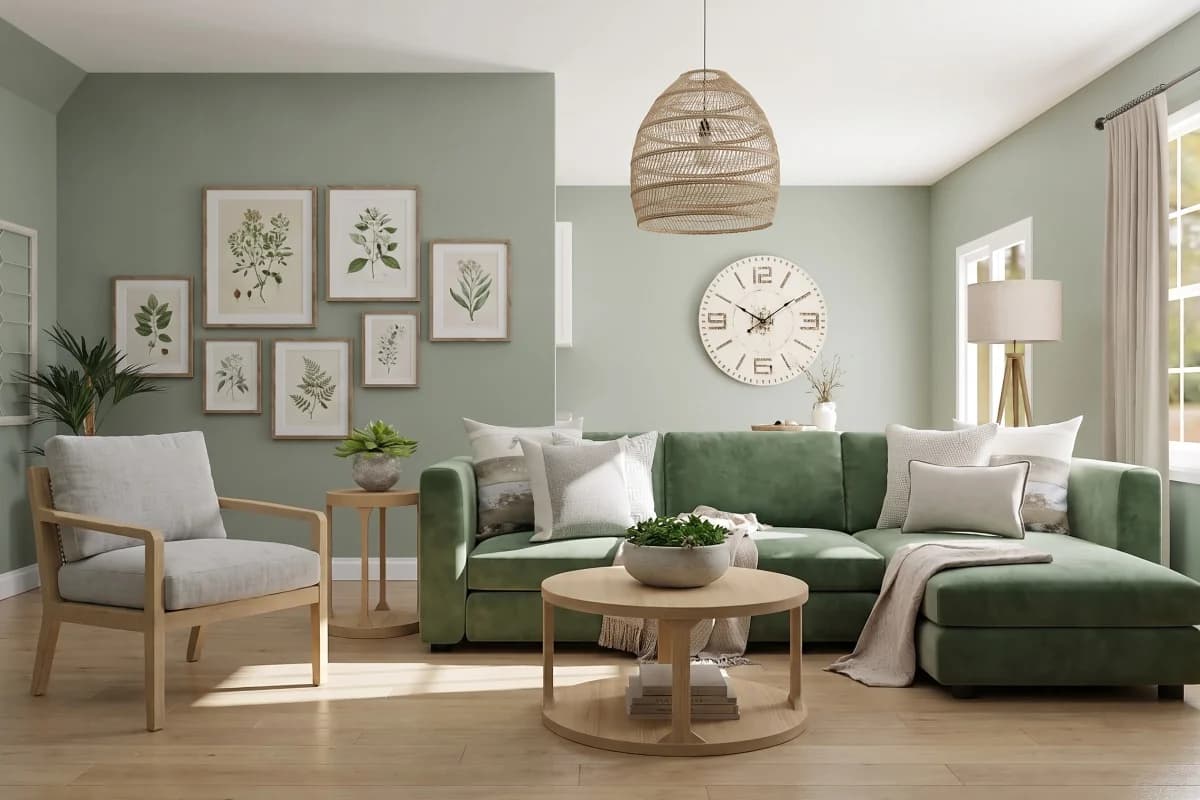
Scandinavian living room
Living room · Scandinavian
- Green velvet sofa
- Light oak floor
Made with Interify 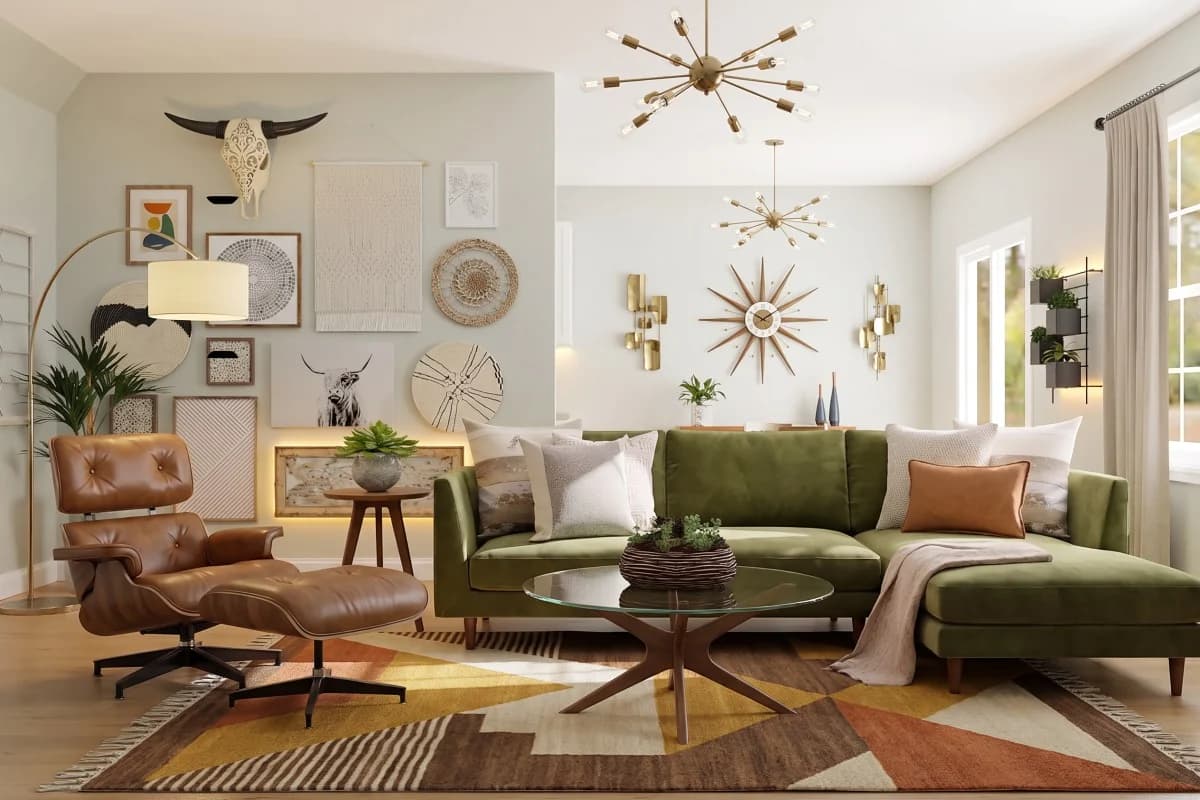
Mid-Century Modern living room
Living room · Mid-Century Modern
- Green velvet sofa
- Light oak floor
Made with Interify 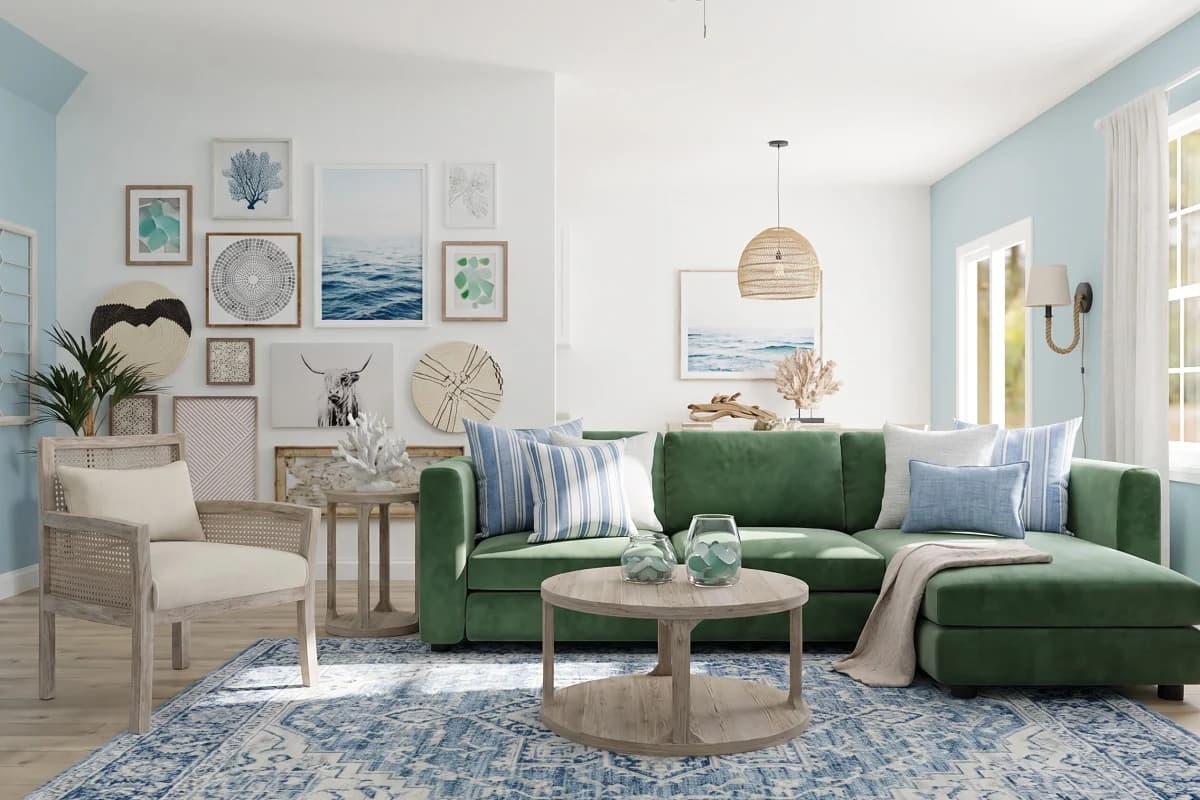
Coastal living room
Living room · Coastal
- Green velvet sofa
- Light oak floor
Made with Interify 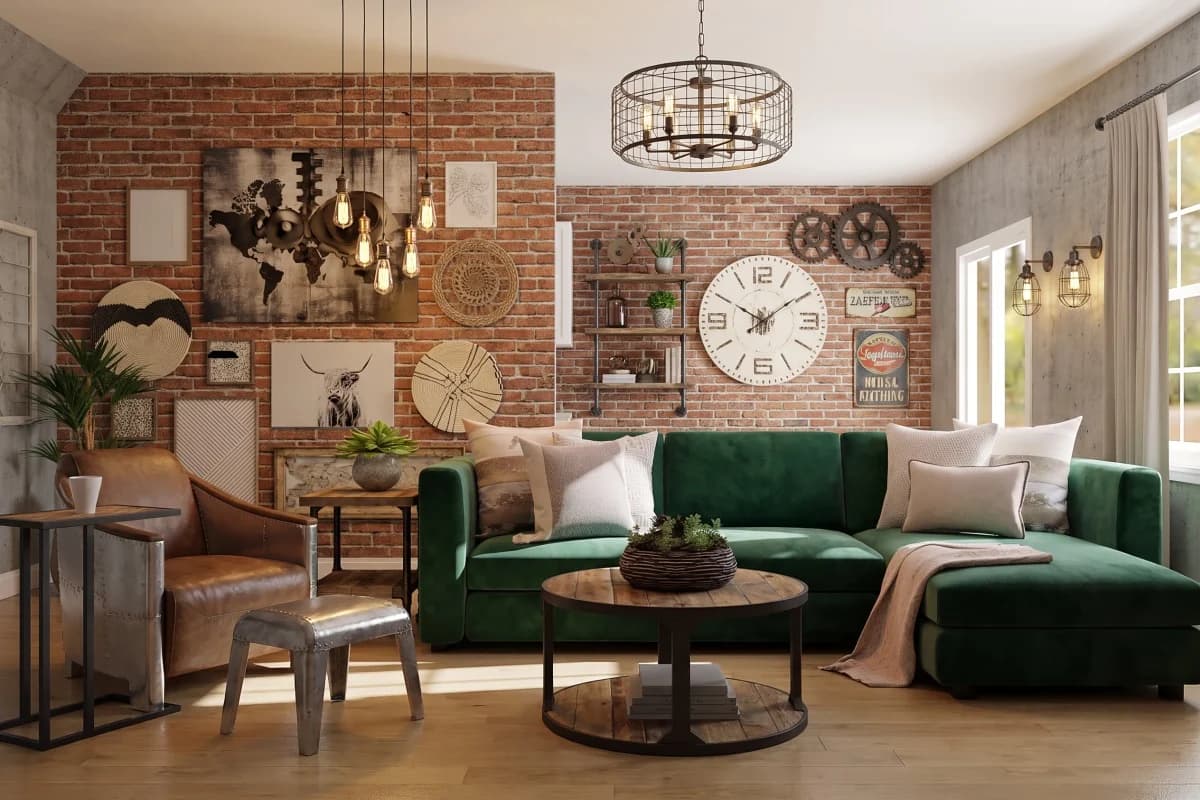
Industrial living room
Living room · Industrial
- Green velvet sofa
- Light oak floor
Made with Interify 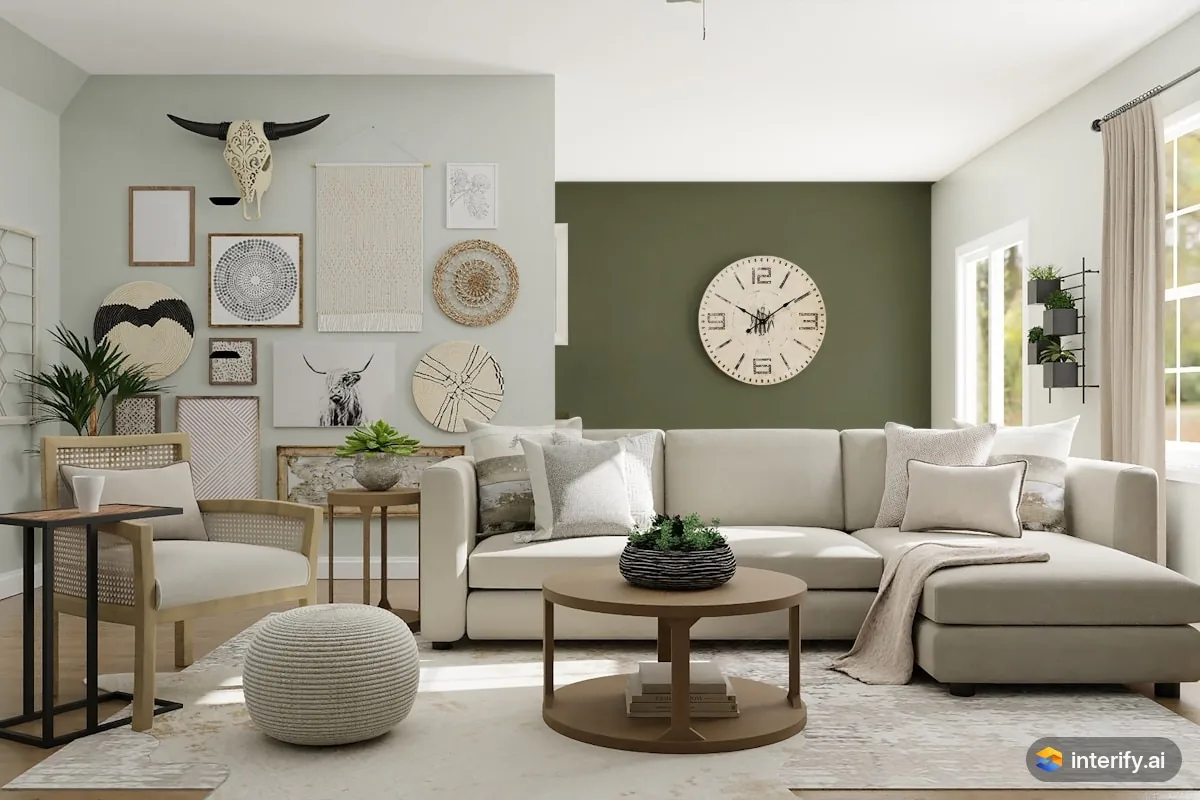
Living room: olive green back wall
Living room
- Paint this wall deep olive green
Made with Interify 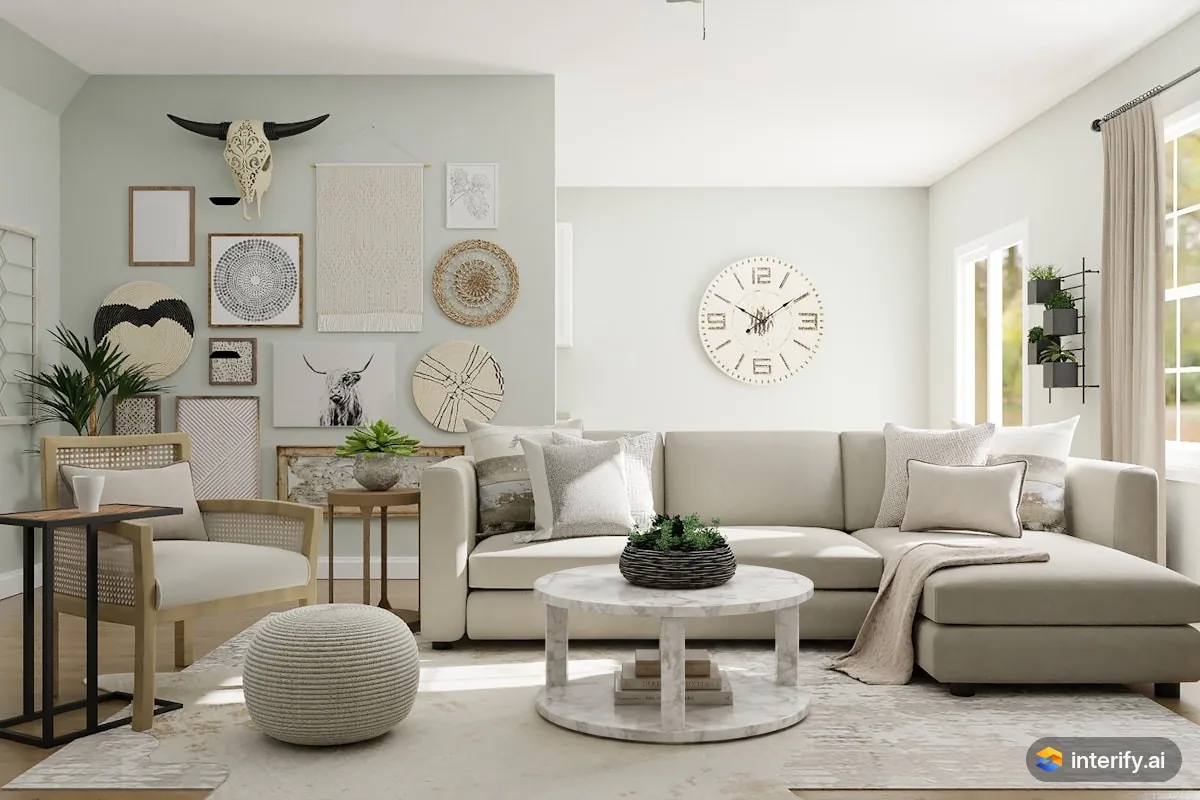
Living room: marble coffee table
Living room
- Round white marble coffee table
Made with Interify
Common questions
Can I see my living room with a different wall color?
Yes. Mark the wall with the rectangle tool, set the area's action to Change color, and name the color in the note. Without a style, everything you didn't mark, including the trim and ceiling, stays as it was.
Can I replace the sofa without changing the rest?
Yes. Lasso the sofa, describe the piece you want in its place, and leave the walls and floor unmarked. With no style, they stay as they were.
Do I need to empty the room first?
No. Photograph it as it is. Clearing obvious clutter helps, but the furniture you intend to keep should stay in the shot so the preview shows the room you will actually live in.
How accurate are the colors in a preview?
Close enough to compare options, not close enough to buy from. Screen color depends on your display and the light in your photo, so always check a physical sample in the room before ordering paint or flooring.
Can I try several looks for the same room?
Yes. Your versions stay in the project's history, so you can compare them side by side. Each run uses one style at a time, with or without an instruction beside it.
Read on
- Dining roomTry dining room ideas in a photo of your own room: mark the walls, the table or the light above it, and see a photorealistic preview of the change.
- BedroomSee bedroom makeover ideas in a photo of your own room: mark the wall behind the bed, the floor or the closet and say what each should become.
- Paint colorsA paint color visualizer that uses your own photo: mark the wall and name the color, and with no style the trim and furniture stay as they were.
- FurnitureSee furniture in your own room before you buy: mark where a piece goes, describe it or attach a photo, and judge the scale against your real room.
- Scandinavian styleWhat the Scandinavian preset does to a room, and when to pick it.
- Mid-Century Modern styleWhat the Mid-Century Modern preset does to a room, and when to pick it.
See it in your own room
The sample room needs no account. Your own photo starts with 3 credits free and no card.