

See your renovation before you spend a dollar
Upload a photo of your room, mark what you want to change, and get a photorealistic preview in about a minute.
No account needed for the sample room. 3 credits free for your own photos, no card.
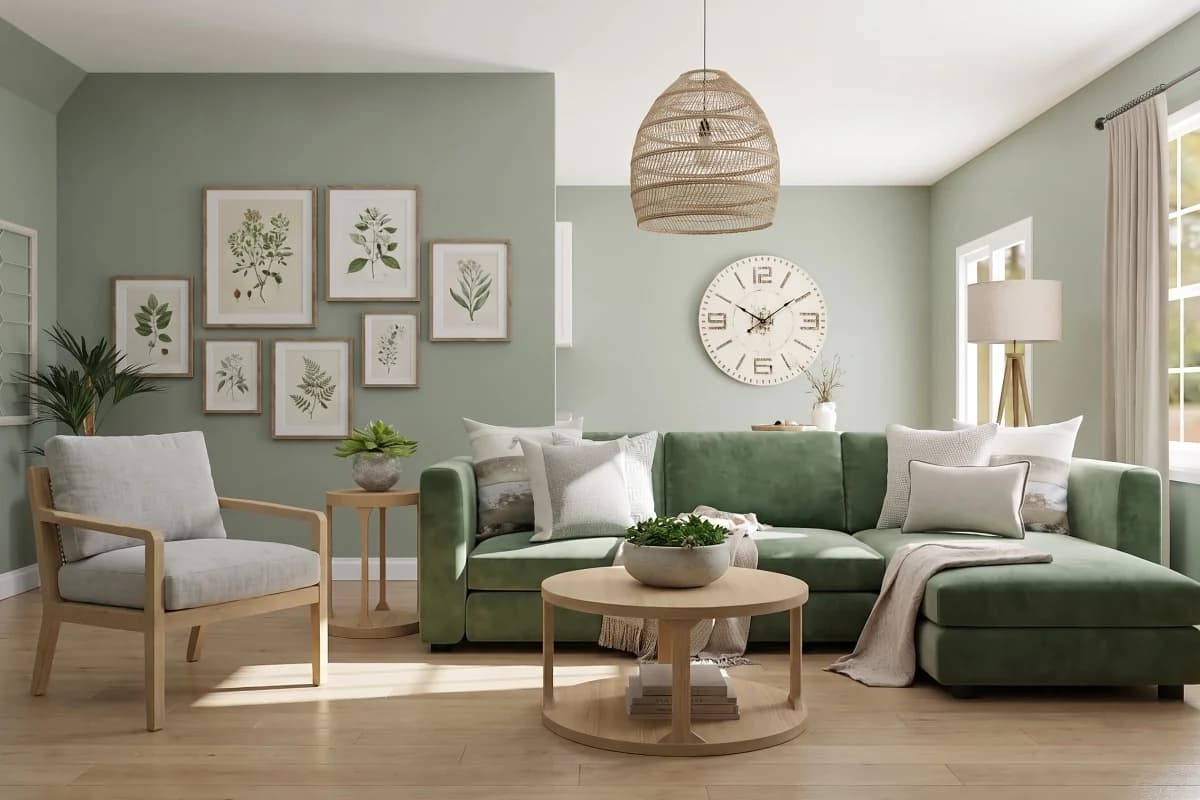
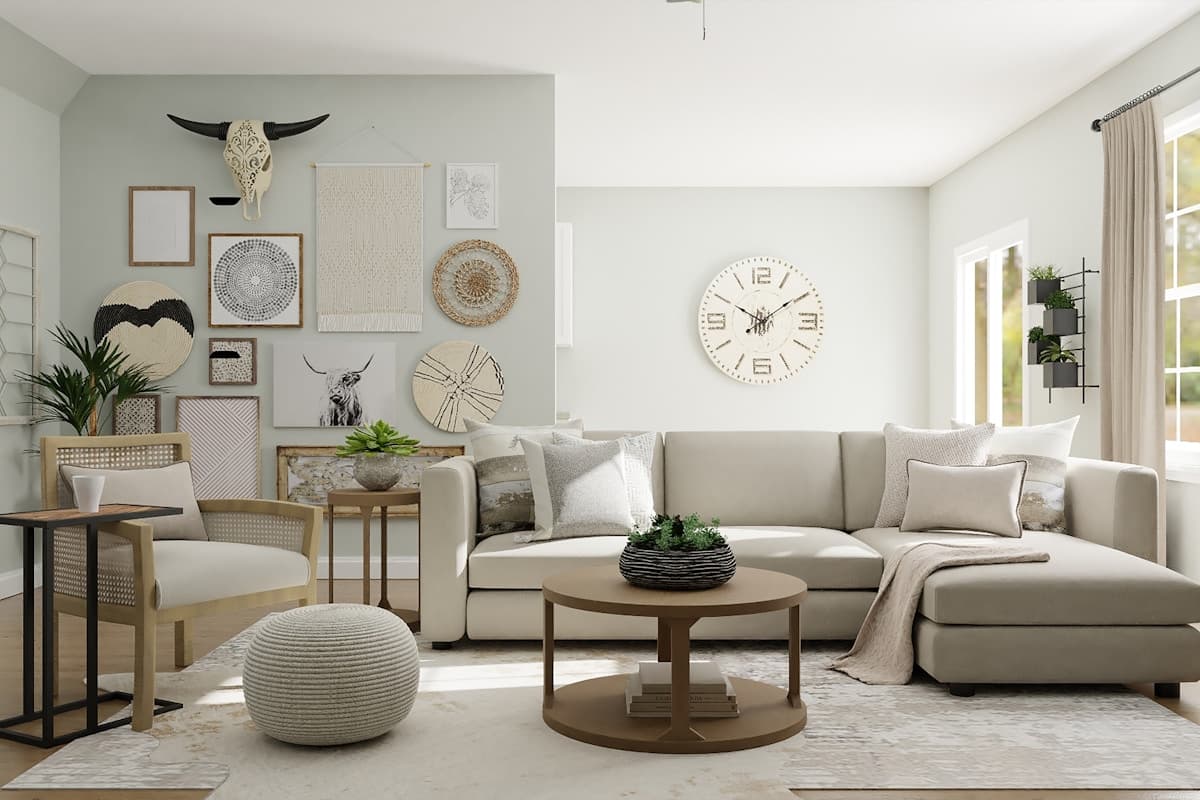
Made in advance with Interify: two marked areas and the Scandinavian style.
Directed edits, not a new photo
Change what you mark. Keep the rest.
Many AI room generators restyle the whole photo. Interify changes only the areas you mark and keeps the rest of your room as it was; a style, if you pick one, restyles the whole room.
Point at it
Outline the wall, the floor or the sofa with the rectangle, lasso or marker. Each area gets a number.
Say what it should become
Give each area a short note in plain words, such as “light oak floor” or “green velvet sofa”.
The rest stays as it was
Without a style, only the areas you mark change and the rest of your photo is kept. Pick a style when you want the whole room to change.
How it works
From a photo of your room to a preview in four steps.
Upload a photo
Take a photo of your room on your phone, or upload one you already have.
Mark what should change
Draw around each area with the rectangle, lasso or marker tool, and write a note saying what it should become.
Pick a style (optional)
Choose one of 20 interior styles, or write an instruction for the whole room.
Generate and compare
Get a photorealistic version of your room. Usually about a minute. Compare it with the original, then refine it, try again or share it.
What you can change
Mark one part of the room or several, each with its own note, and see them all changed in one version.
Paint
Walls, ceilings and trim in a new colour or finish, such as “sage green walls”.
Floors
Wood, tile, stone or carpet, such as “light oak floor”.
Furniture
Swap a sofa, bed or table for another, or add one, such as “green velvet sofa”.
Cabinets
New fronts, colours and handles, such as “navy shaker cabinets with brass handles”.
Lighting
Pendants, lamps and wall lights, such as “rattan pendant light”.
Anything else you can outline
Curtains, rugs, countertops, a fireplace: if you can draw around it, you can say what it should become.
Pick a style, or describe your own
Choose from 20 interior styles. A style restyles the whole room, and each marked area still follows its note.
 English Country
 French Provincial
 Mediterranean
 Art Deco
 Scandinavian
 Minimalist
 Danish Hygge
 Norwegian Cabin
 Japanese
 Chinese Classical
 Korean Hanok
 Balinese
 Mid-Century Modern
 Farmhouse
 Coastal
 Contemporary
 Bohemian
 Rustic
 Eclectic
 Industrial
Examples
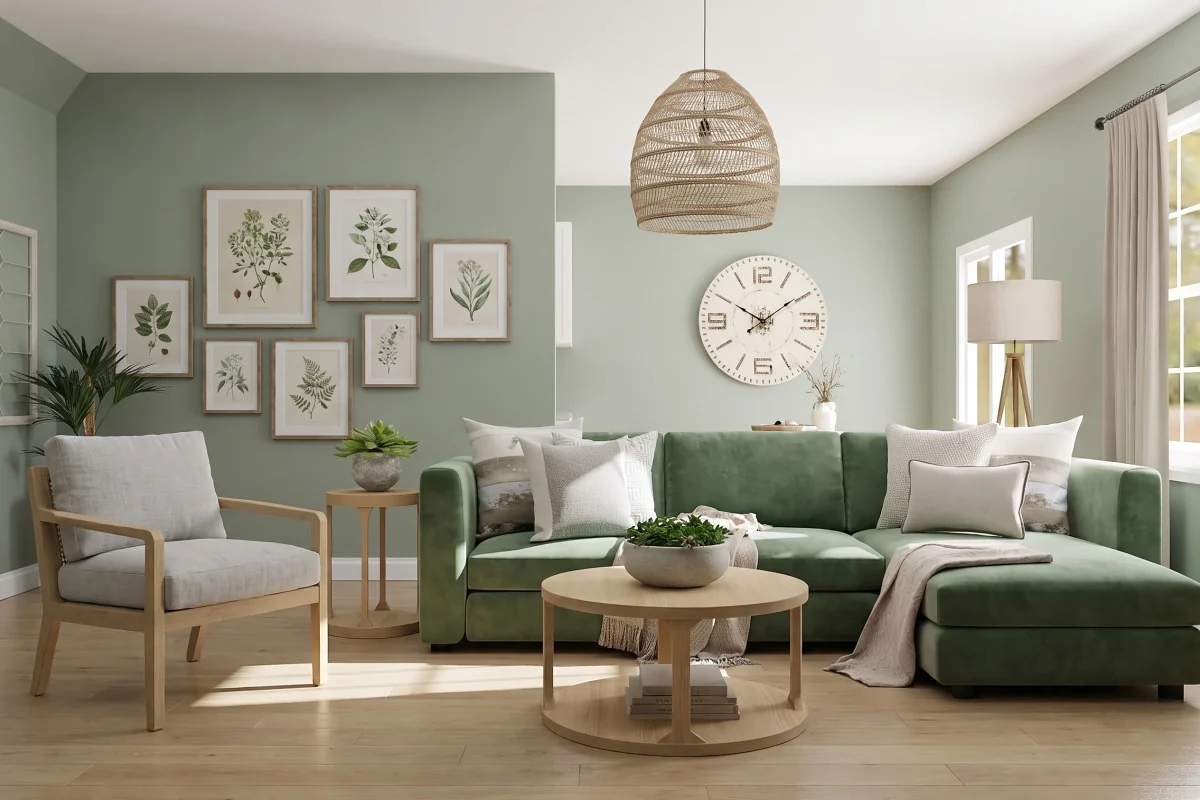
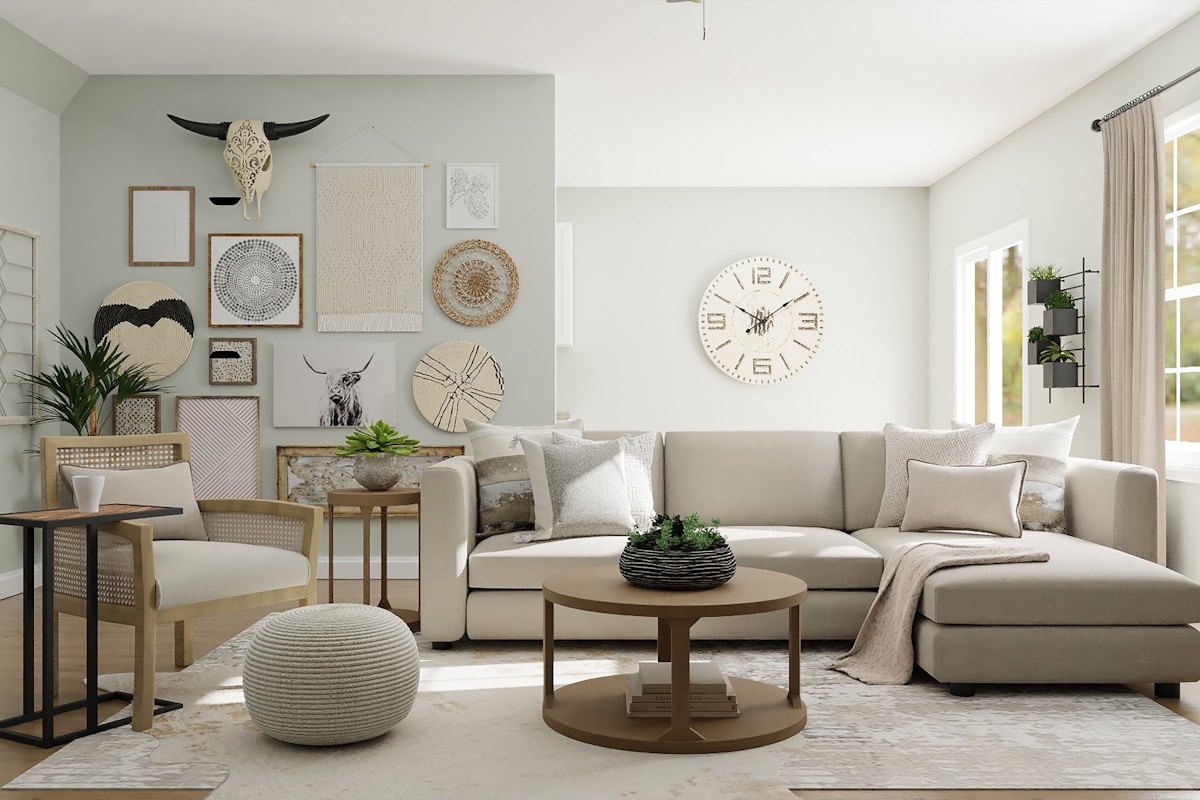
One room, four styles. Drag the divider to compare.
Interify at a glance
- Free to start
- 3 credits on signup, no card needed
- Cost of a version
- 1 credit. Packs start at $9 for 30 credits, down to $0.16 a credit
- Time per version
- Usually about a minute
- Output
- HD results, up to 3072 px
- Styles
- 20 interior style presets, or describe your own
- Credits
- Never expire. A failed version's credit is refunded automatically
- Watermark
- Free downloads carry a small watermark; buying any pack removes it
- Your photos
- Never used to train AI models, never sold, and seen by no one unless you share a link
Pay per version, not per month
Start with 3 credits free, no card needed. After that, buy credits in packs: 1 credit makes 1 version, and credits never expire.
Free
$0
3 credits on signup
No card neededStarter
$9
30 credits
$0.30 a creditProRecommended
$19
100 credits
$0.19 a creditMega
$39
250 credits
$0.16 a credit
Every plan: HD results, up to 3072 px and all 20 styles. Any pack removes the watermark and skips the free queue. Compare plans and billing
Frequently asked questions
Short answers about credits, photos and results.
How does it work?
Upload a photo of your room, draw around the areas you want to change, and add a note to each. Pick a style if you like, then generate. You get a photorealistic version of your room in about a minute.
How long does a version take?
Usually about a minute. You can keep browsing; it will appear in your history.
What happens to my photos?
Your photos and results are stored encrypted at rest, with Amazon Web Services in Frankfurt, and sent over HTTPS. Only you can see them unless you share a link. You can delete a project at any time, and deleting your account deletes every file you stored with us.
Can I get a refund?
Email hello@interify.ai within 14 days of buying a pack to ask for a full refund, as long as you haven't used any of its credits. Once you've spent one of them, that pack isn't refundable.
Do credits expire?
No. Credits never expire while your account exists. Buy once and use them whenever you're ready. Unused credits are lost if you delete your account.
Can I use this on mobile?
Yes. You can mark areas with your finger or a stylus on phones and tablets: pinch to zoom, and drag with two fingers to move around the photo. Uploading, making and refining versions, and comparing them all work there too, in the browser, with nothing to install.
See your own room changed
Start with the sample room, or upload a photo with 3 credits free. No card needed.