

Iterate on a version
Keep going from a version you already have
When a version is close but not right, you don't start again. Try again runs the same request for a different take, Tweak changes the style or the instruction and runs it again, and Use as base makes a result the starting point for the next change.
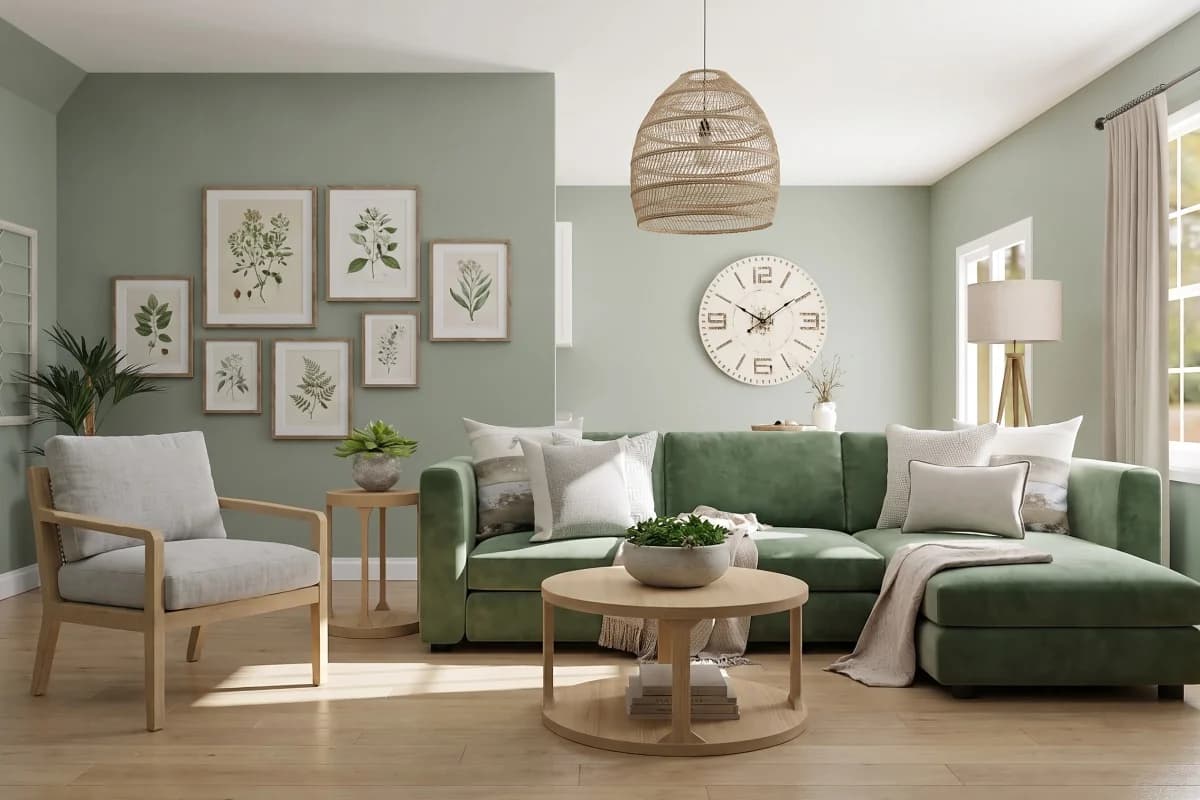 Scandinavian living room
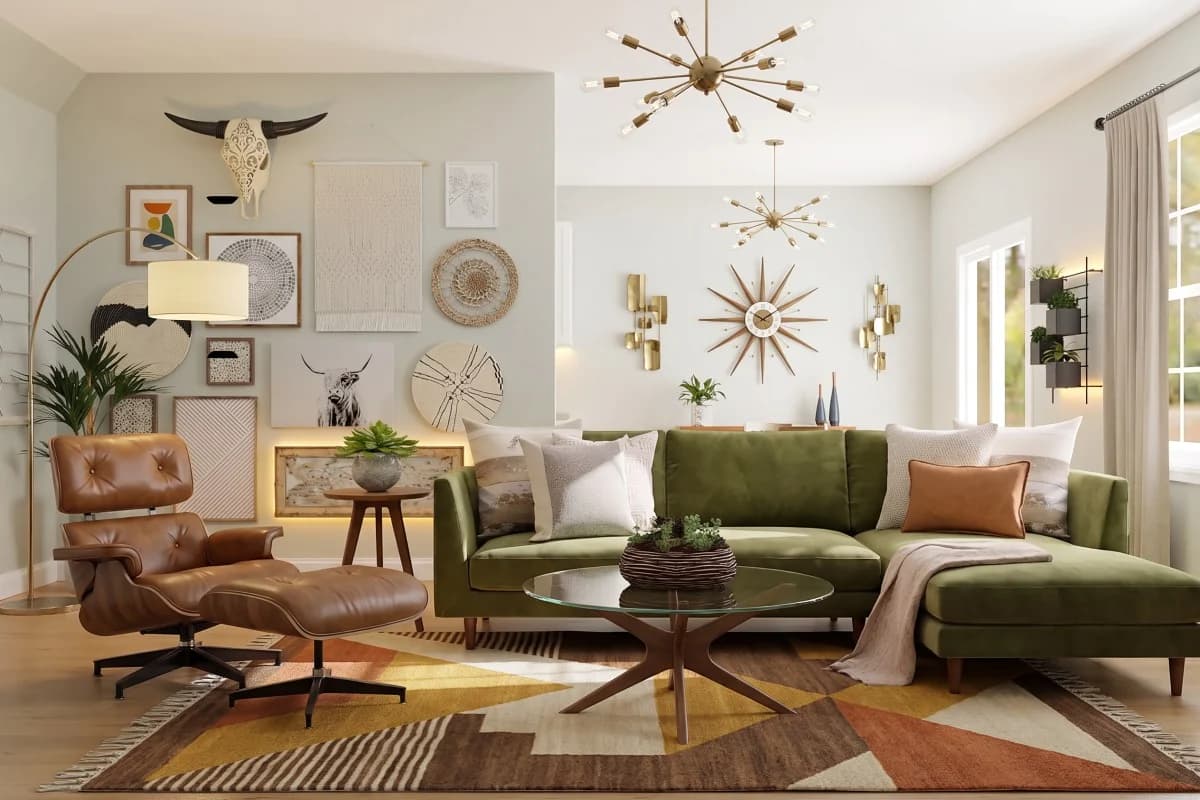 Mid-Century Modern living room
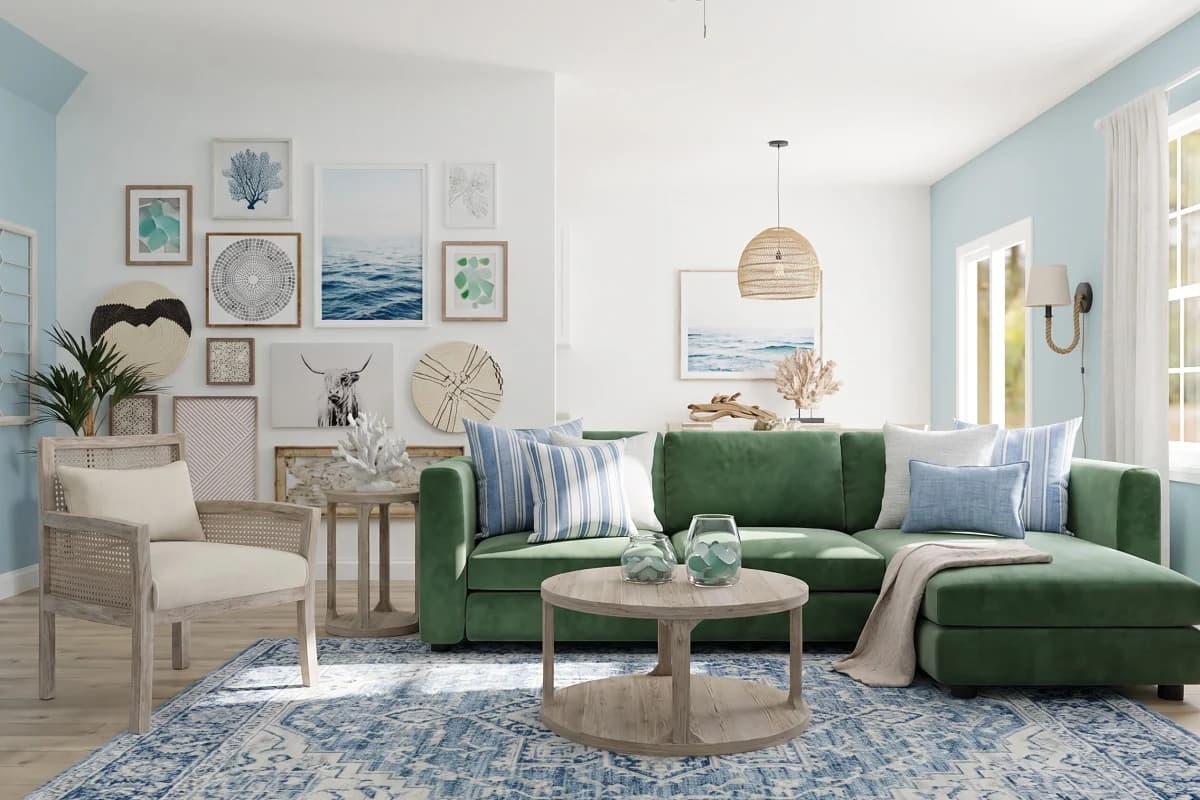 Coastal living room
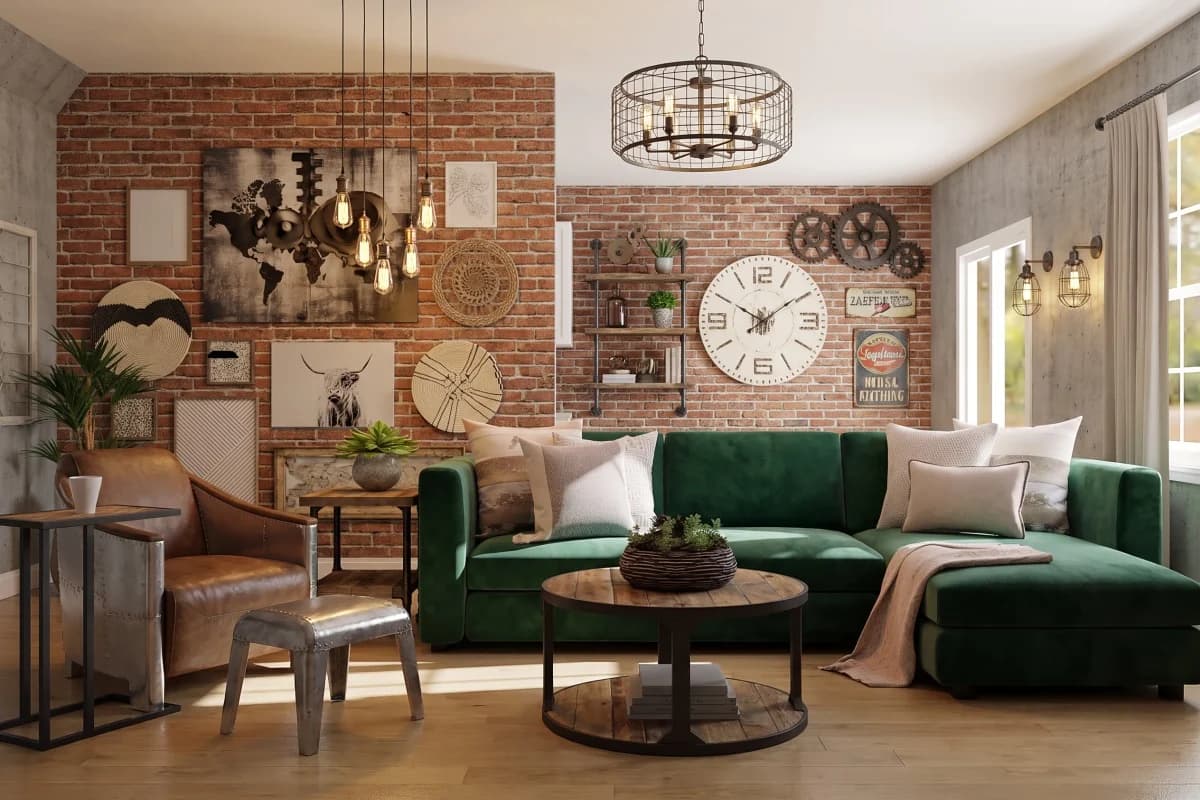 Industrial living room
Key facts
- Try again
- Runs the same request again for a different take. The first Try again of each version is free.
- Tweak
- Changes the style or the instruction of a result and runs it again.
- Use as base
- Makes a result the starting point for the next change.
- Credits
- Never expire. A failed version's credit is refunded automatically
What it does
Image models are not deterministic: the same request twice gives two different rooms, both plausible. Try again is that second roll. It sends exactly what you sent before, keeps your marks and your style, and gives you another take to put beside the first. The first Try again of each version doesn't cost a credit.
Tweak is for when the request itself was wrong. It opens the version's style and instruction, lets you change them, and runs it again from the same photo and the same marks, so you're comparing one decision rather than two.
Use as base turns a result into the photo the next change works on. Get the floor right, make that version the base, then mark the walls: the second change is layered on the first instead of competing with it.
Every version stays in the project's history, named and dated, whichever of the three you used. Nothing is overwritten, so a worse take costs you a credit, not your work.
The versions at the top of this page come from one photo and the same two marked areas, generated with a different style each time. Each one is kept, so they can be compared rather than replaced.
How to use it
Open a version
Pick the version you want to carry on from in the project's history. The three actions sit on the bar under the result.
Try again for another take
Same photo, same marks, same style, a different result. Use it when the request was right and the room wasn't.
Tweak to change the ask
Change the style or the whole-room instruction and run it again. Use it when the room was right and the request wasn't.
Use as base to stack a change
Make the result the starting photo, then mark the next thing. Use it when you're happy with this change and want to add another on top.
What it can't do
Worth knowing before you spend a credit on it.
- Try again gives a different take, not a better one. If two takes are both wrong in the same way, the request needs changing, not rerunning.
- Only the first Try again of each version is free; after that a version costs what any version costs.
- A version made by a free Try again has no free Try again of its own, so free takes don't chain. A version you paid for keeps its one.
- Use as base works from the result image, so anything the earlier version got wrong is now part of the photo the next change starts from.
- A version can't be merged with another. Pick the one to carry on from, or redo the change on the base you prefer.
Questions about Iterate on a version
What does Try again cost?
The first Try again of each version is free. Later ones cost what any version costs, and a version that fails is refunded automatically.
What's the difference between Try again and Tweak?
Try again sends the same request again for a different result. Tweak changes the style or the instruction first, so you're testing a different ask against the same photo and marks.
Do I lose the version I started from?
No. Every version is kept in the project's history and can be opened, compared, downloaded or used as a base at any time.
How many times can I iterate?
As often as you have credits for. Each version is one credit, credits never expire, and the history keeps every take so you can go back to any of them.
Read on
- RefineBrush over one part of a version and redo just that part.
- Style presetsRestyle the whole room from 20 interior styles, or write your own.
- Compare and sharePut the result beside the original, then send a link.
- How it worksThe whole walkthrough, from the photo to the share link.
- ExamplesBefore and afters made with Interify.
Try it on the sample room
No account needed to see how it works. Your own photo starts with 3 credits free and no card.