

Visualize
Furniture visualizer: see a piece in your room
To see furniture in your own room, photograph the space, mark where the piece would go, and describe it or attach a photo of it as a reference. Without a style, Interify puts a piece of that kind into your room and keeps the rest of the photo as it was.
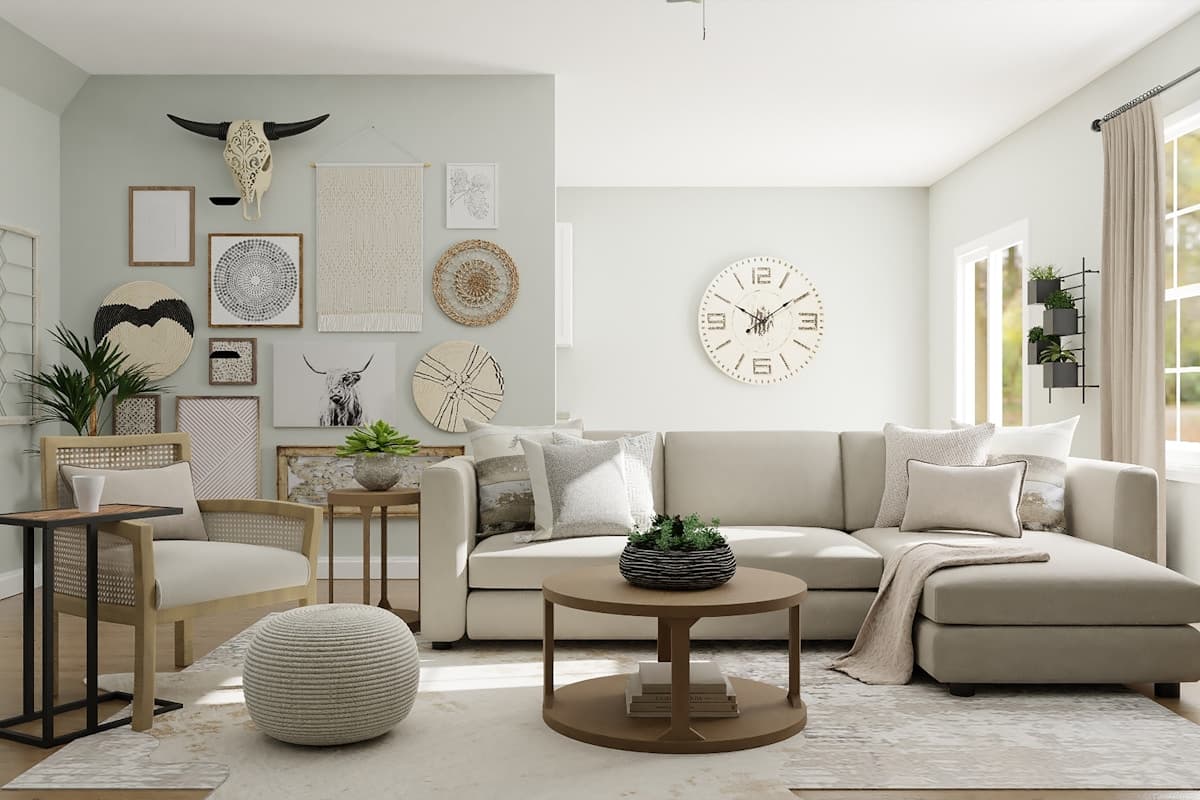
- SofaThree-seat sofa in oatmeal boucle, low arms, tapered wooden legs
Key facts
- Mark and describe
- Rectangle, lasso and marker tools outline the areas to change; each area gets its own note.
- Use as base
- Makes a result the starting point for the next change.
- Cost of a version
- 1 credit. Packs start at $9 for 30 credits, down to $0.16 a credit
- Compare and share
- Compare versions side by side, download them, and share a link with a before/after slider that opens without an account.
How to do it in Interify
Photograph the space with something for scale
Keep a door, a window or an existing piece in frame. The preview judges size from what is around it, and so will you.
Mark the place, not just the object
To replace a piece, lasso the piece itself. To add one, outline the empty space it would occupy and set the action to Add item.
Describe the piece in the order that matters
Type, size, material, color, then detail: a three-seat sofa in oatmeal boucle with low arms and wooden legs. Vague notes give vague furniture.
Attach the product photo as a reference
If you are looking at a specific piece, attach its photo to that area. That gets the result close to it, closer than a description can.
Build the room up one piece at a time
Use as base makes the version you like the starting point for the next piece, so you can furnish a room in steps instead of all at once.
Notes you can copy
Each marked area carries its own note. Copy one of these and change the words that don't fit your room.
- Empty wall
- Add a low walnut sideboard the width of the alcove, nothing on top
- Sofa
- Three-seat sofa in oatmeal boucle, low arms, tapered wooden legs
- Corner
- Add a tall plant in a plain ceramic pot and a floor lamp behind the chair
- Dining chairs
- Six spindle-back wooden chairs in a dark stain
- Bulky cabinet
- Remove the cabinet and leave the wall and floor as they are
- Bed wall
- Add an upholstered headboard in oatmeal wool, full width of the bed
Photographing the room
The photo decides how much of the result looks like your room.
- Shoot from the doorway at chest height, upright. That is the view that shows scale most honestly.
- Leave the existing furniture you intend to keep in the shot, so a new piece is judged in company.
- Include the floor where the piece will stand. A piece floating over a cropped floor never looks right.
- Take a second shot from the opposite side of the room if you are deciding between two positions.
- Photograph the product you are considering, or screenshot it, so you can attach it as a reference.
Scale is the decision, not style
Most furniture regret is about size. A sofa that is a couple of inches too deep eats the walkway; a rug a size too small leaves everything adrift; a dining table that seats eight on paper seats six in the room.
A preview is good at exactly this, because it shows the piece against your real door, window and ceiling height. Then measure, because a photograph is not a tape.
What to buy first
The usual order is the largest piece first, then the rug, then lighting, then the small things. The big piece sets the palette and the scale, and the rug has to be bought to suit it rather than the other way around.
Previewing in the same order means every decision is made against what is already settled, which is how rooms end up coherent.
Mixing woods and materials
Woods do not have to match, but their undertones should get along: a cool gray-brown oak beside an orange-toned pine will look like an accident. Two or three materials in a room, repeated, reads deliberate.
Because your existing pieces are already in the photo, a preview shows you the clash before you pay for it.
Replacing versus removing
Sometimes the right change is taking something out. A room with one piece fewer often photographs better than the same room with something new in it.
Mark the piece, set the action to Remove item and look at the result. It is the cheapest version of the project and worth checking first.
Using a preview to decide with someone else
Furniture arguments are usually about two people picturing different rooms. A preview of the actual room, with the actual piece in it, replaces the argument with something to look at.
Share a link and the other person sees the before and after without needing an account.
What to expect
What a preview settles, and what it can't.
- Furniture in a preview is a look-alike, not a product you can order. Find the real item and check it.
- A preview does not measure. Get the piece's width, depth and height and mark them out on your floor with tape before buying.
- It can't tell you whether a sofa will get through your door or up your stairs, which is a common and expensive surprise.
- It says nothing about comfort, build quality or how a fabric wears.
Examples
Made with Interify, each from one photo and the areas marked on it. Switch a card between the original and the result.
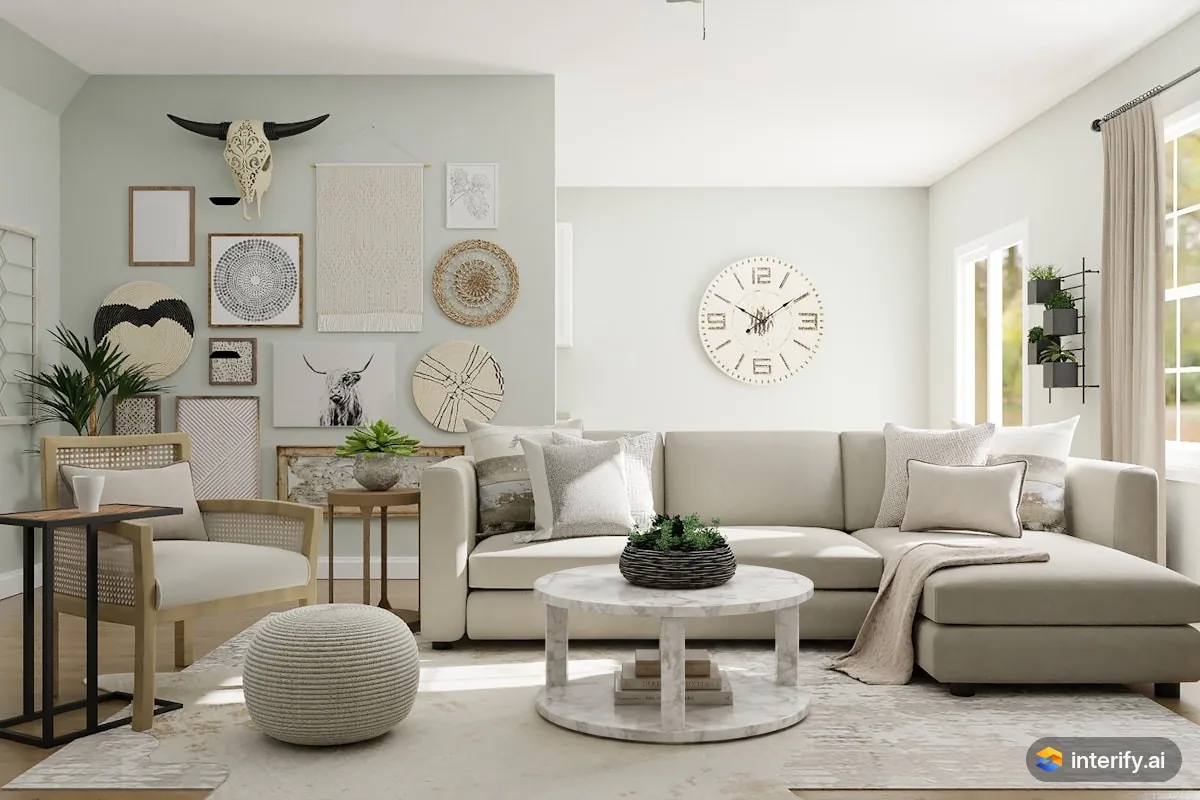
Living room: marble coffee table
Living room
- Round white marble coffee table
Made with Interify 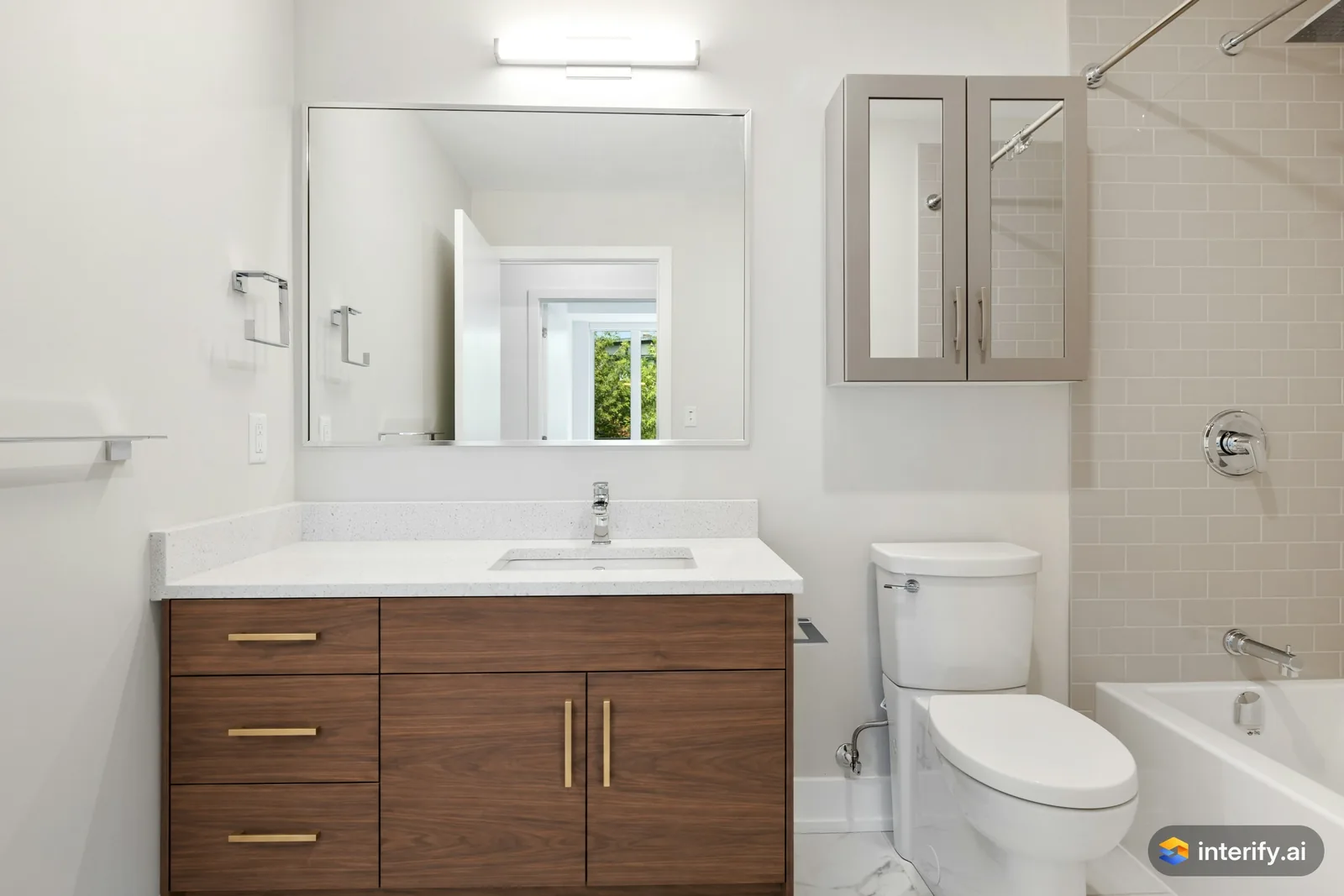
Bathroom: walnut vanity
Bathroom
- Walnut wood vanity with flat fronts and brass handles
Made with Interify 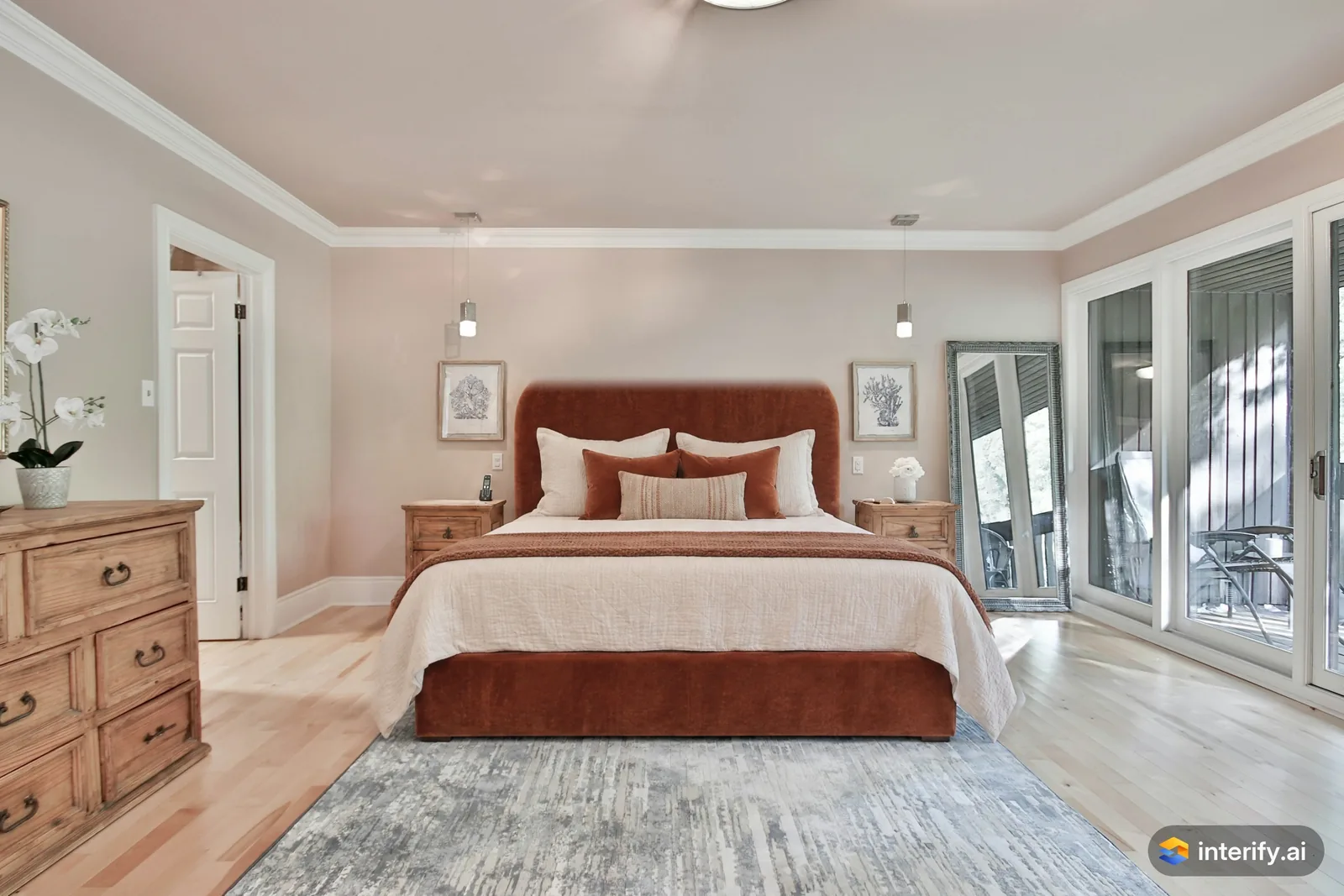
Bedroom: rust velvet bed
Bedroom
- Upholstered bed in rust velvet with a tall rounded headboard
Made with Interify 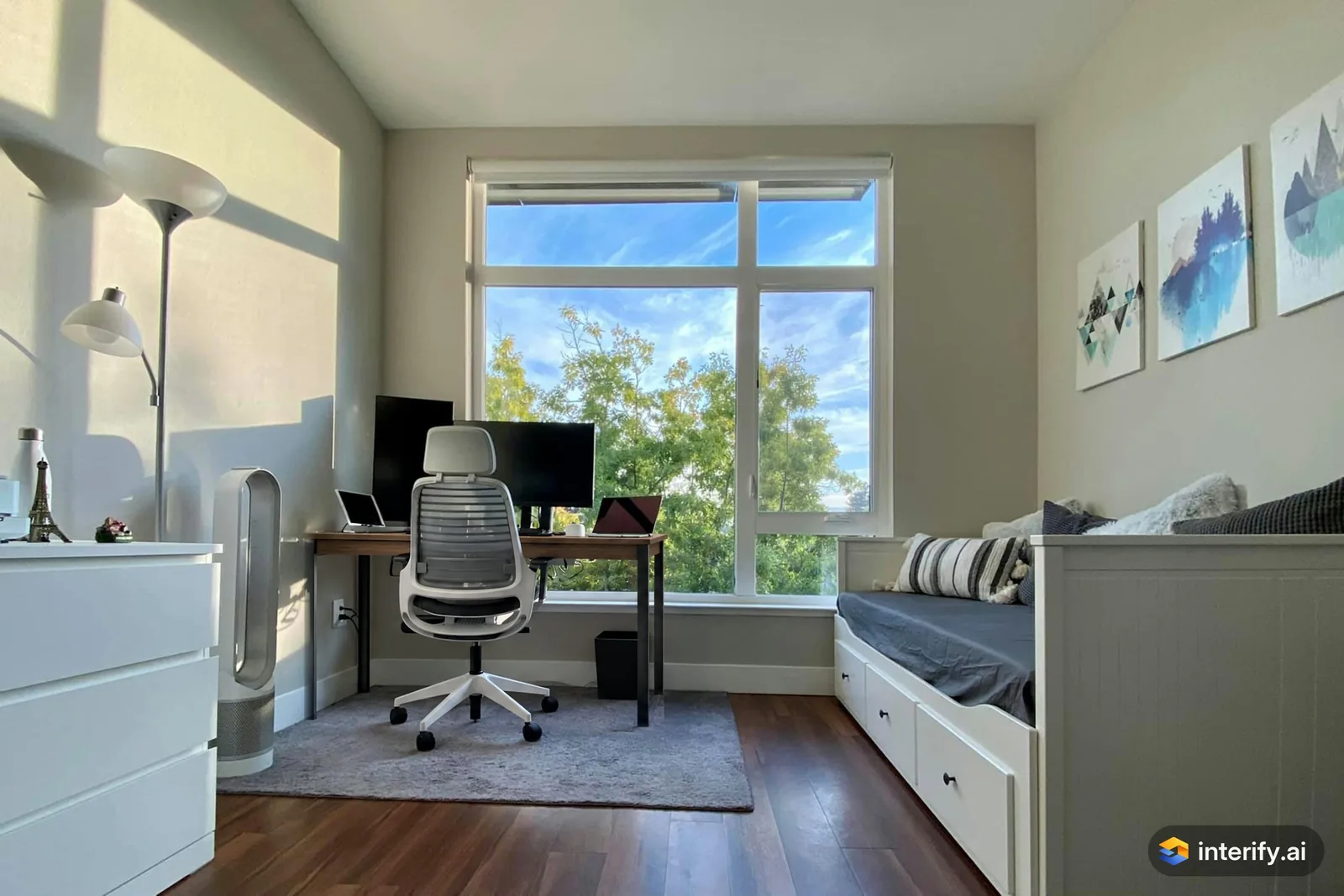
Home office: walnut desk
Home office
- Walnut desk with slim black legs, keep the monitors
Made with Interify 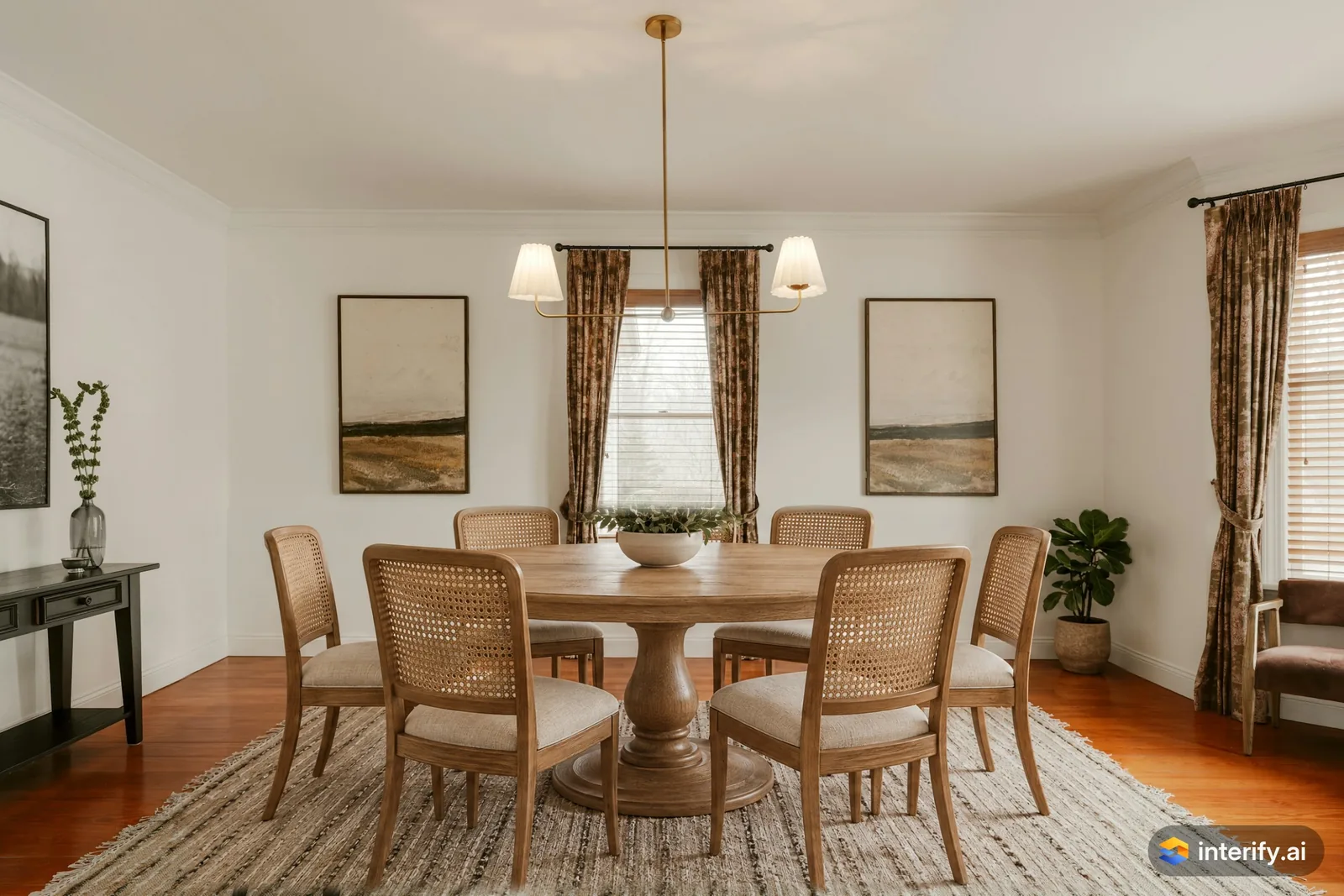
Dining room: round oak table and cane chairs
Dining room
- Round oak pedestal table with cane-back chairs
Made with Interify 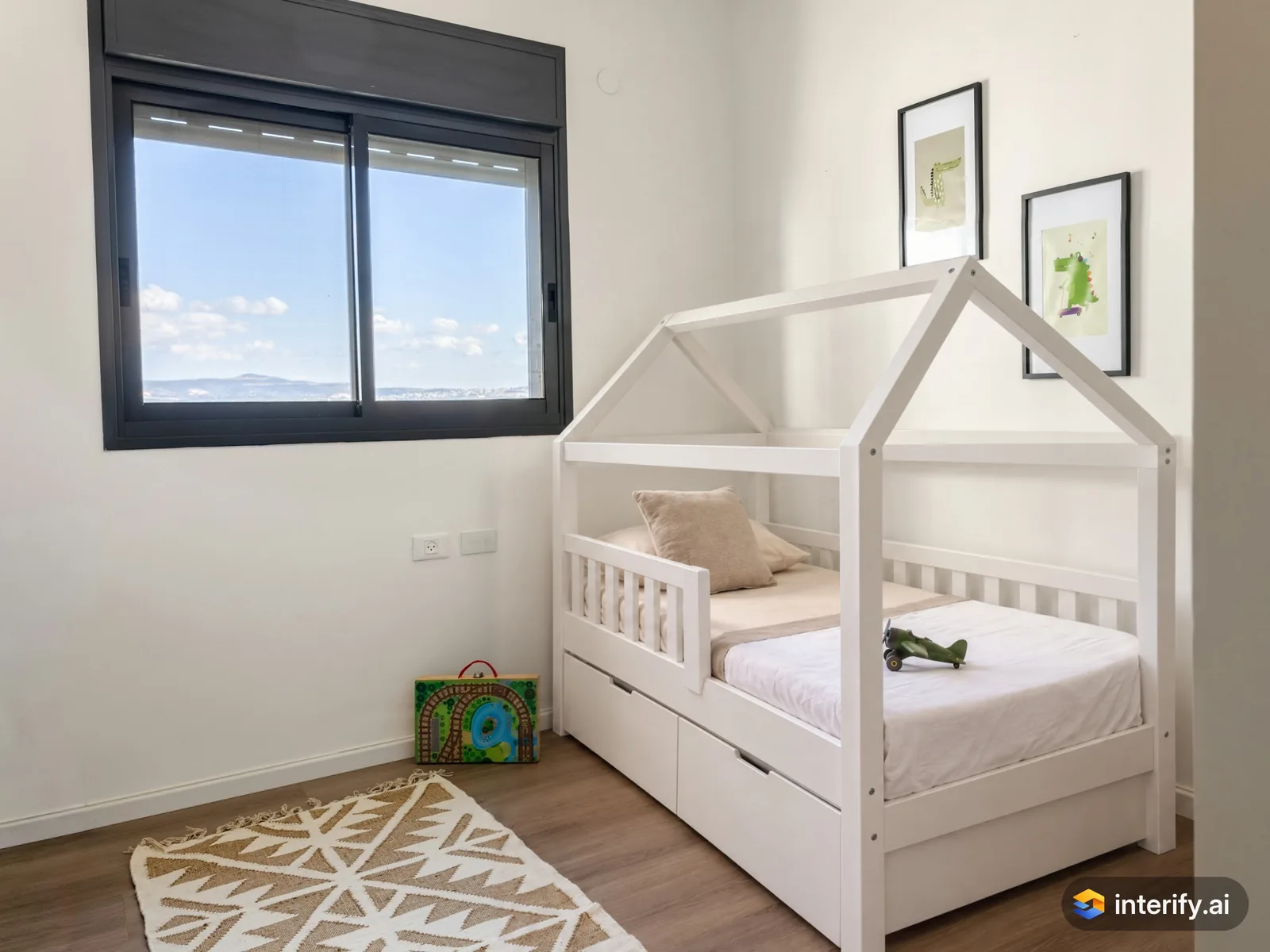
Kids' room: house-frame bed
Kids' room
- White wooden house-frame bed
Made with Interify
Common questions
Can I see a specific sofa in my room?
You can attach the product photo to the marked area as a reference, which gets close. The result is a look-alike, so check the real item's dimensions before ordering.
Can I add furniture to an empty room?
Yes. Outline the space the piece should occupy, set the action to Add item and describe it. Without a style, everything you didn't mark stays as it was.
Will it tell me whether a piece fits?
No. Measure the piece and the room, including doorways and the path in. A preview shows you how it looks once it is there.
Can I furnish a room step by step?
Yes. Use as base turns a result into the starting point for the next change, so each piece is added to the version you already like.
Read on
- Living roomMark the wall, floor or sofa in a photo of your own living room, say what each should become, and get a photorealistic preview of the room.
- Home officePreview home office ideas in a photo of your own room: mark the desk wall, the shelving or the chair and see the change without buying anything first.
- LightingPreview light fixtures in your own room: mark where a pendant, wall light or lamp goes, describe it, and judge its scale and placement in your space.
- FlooringA flooring visualizer for your own photo: mark the floor, describe the wood, tile or vinyl you are considering, and see it in your actual room.
- Interior designersAgree on a direction with a client in their own room: preview a scheme on their photo, compare options, and share a link they can open on a phone.
- How it worksThe whole walkthrough, from the photo to the share link.
See it in your own room
The sample room needs no account. Your own photo starts with 3 credits free and no card.