

Visualize
Countertop visualizer for your own kitchen photo
To see a new countertop in your kitchen, photograph the run, mark the counter surface, and name the material, the pattern, the thickness and the edge. Without a style, Interify replaces only the counter and keeps the cabinets and backsplash as they were.
CounterHoned white quartz with soft gray veining, square edge, slim profile
Key facts
- Mark and describe
- Rectangle, lasso and marker tools outline the areas to change; each area gets its own note.
- Refine
- Brush over one part of a result to regenerate just that part.
- Cost of a version
- 1 credit. Packs start at $9 for 30 credits, down to $0.16 a credit
- Compare and share
- Compare versions side by side, download them, and share a link with a before/after slider that opens without an account.
How to do it in Interify
Shoot the counter along its length
Stand at one end so the counter runs away from you and the cabinets below and backsplash behind are both visible. A top-down shot of a counter is hard to replace well.
Lasso the counter surface
Follow the front edge and the back where it meets the backsplash. If the counter wraps a corner or an island, mark each run as its own area.
Name the material and the pattern
Say the stone or surface, the base color, how strong the veining is and how large it reads. Quiet and dramatic versions of the same stone are different decisions.
Add the thickness, the edge and the finish
A thin profile reads modern, a thick one substantial. A square edge is current, a rounded one softer. Polished bounces light; honed and matte absorb it.
Compare against the cabinet color
Run the counter version, then compare it with the original and with any cabinet version you made. Counters are chosen against cabinets, not on their own.
Notes you can copy
Each marked area carries its own note. Copy one of these and change the words that don't fit your room.
- Counter
- Honed white quartz with soft gray veining, square edge, slim profile
- Counter
- Mid-gray speckled granite, polished, thick profile with a pencil edge
- Counter
- Oiled oak butcher block with a rounded front edge
- Island top
- The same stone as the counter with a waterfall panel down the visible end
- Counter and backsplash
- Run the same stone up the wall as a slab backsplash to the uppers
- Counter
- Matte dark gray composite, no veining, square edge
Photographing the room
The photo decides how much of the result looks like your room.
- Clear the counter completely. The preview replaces the surface, not the clutter on it.
- Shoot in daylight with the under-cabinet lights off, so the cabinet color beside it is true.
- Include the front edge. Thickness and edge profile are only visible from a slight angle.
- Wipe the surface first. Reflections of a bright window on a wet counter make a poor starting point.
- If you have the sample with you, photograph it separately and attach it to the counter area as a reference.
The materials, and what each asks of you
Quartz is engineered, consistent and needs no sealing, which is why it is the common choice. Granite is hard and varied. Marble is beautiful and etches when it meets lemon juice, so it suits people who accept patina. Butcher block is warm and needs oiling. Laminate is the cheapest and now looks far better than it used to. Stainless and concrete are specialist choices with their own maintenance.
A preview answers the look. The maintenance question is separate and worth reading about before you fall for a stone.
Pattern scale is the thing people misjudge
A sample the size of a tile shows you the color. It does not show you how a bold vein reads across a ten-foot run, where a dramatic stone can dominate the whole kitchen.
Previewing it at full length in your own kitchen is the point. If the pattern takes over the room on screen, it will take over the room in person.
Thickness, edge and how modern it looks
A slim profile looks current and lighter. A thicker top feels solid and traditional, and a mitered edge makes a thin stone look thick. The edge profile itself, square, pencil-round or beveled, is a quiet detail that dates a kitchen.
These are cheap to try in a note and expensive to change in stone, so put them in writing before you order.
Counter against cabinets and backsplash
A counter is never seen alone. The usual advice is to let one of the three surfaces be the loud one: a patterned stone with quiet cabinets and a plain backsplash, or a plain counter with a patterned backsplash.
Mark the counter, the cabinets and the backsplash as separate areas and change one at a time. You will see immediately when two of them are competing.
Waterfall ends and slab backsplashes
Running the stone down the end of an island, or up the wall as a backsplash, uses more material and makes the stone the feature of the room. Both are fashion as much as function, and both are expensive to undo.
That makes them good candidates for a preview: see the pattern turn the corner in your own kitchen before you pay for the extra slab.
What to expect
What a preview settles, and what it can't.
- Natural stone varies slab to slab. A preview can show the kind of pattern, never the slab you will get, so approve the actual slab at the yard.
- It won't show seams, cutouts or where the fabricator has to join a long run. Those come from a template.
- It can't tell you about staining, etching, heat or sealing, which is often what decides between stones.
- It is not a quote. Pricing depends on the material, the square footage, the edges and the cutouts.
Examples
Made with Interify, each from one photo and the areas marked on it. Switch a card between the original and the result.
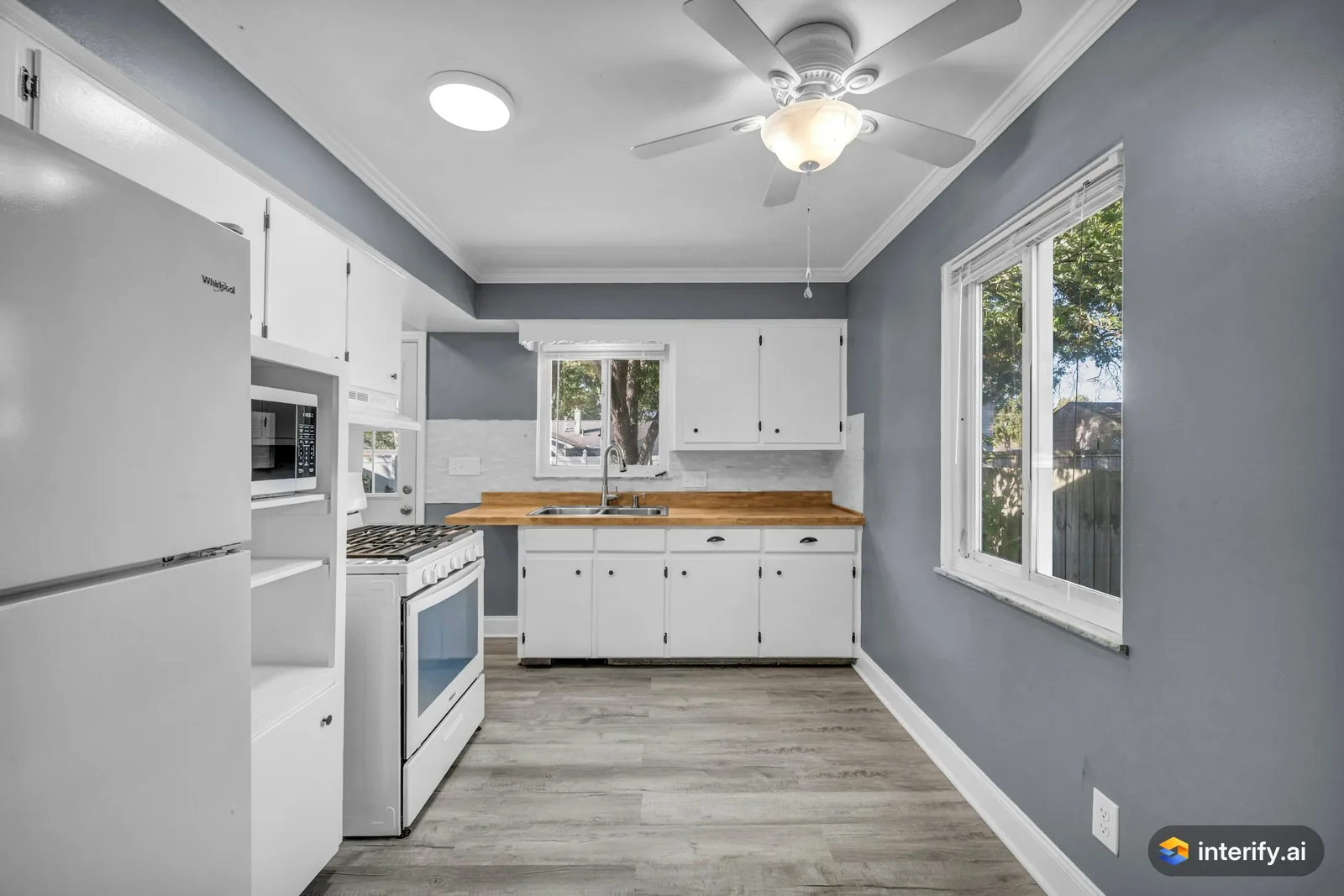
Galley kitchen: butcher block countertop
Kitchen
- Butcher block oak countertop
Made with Interify 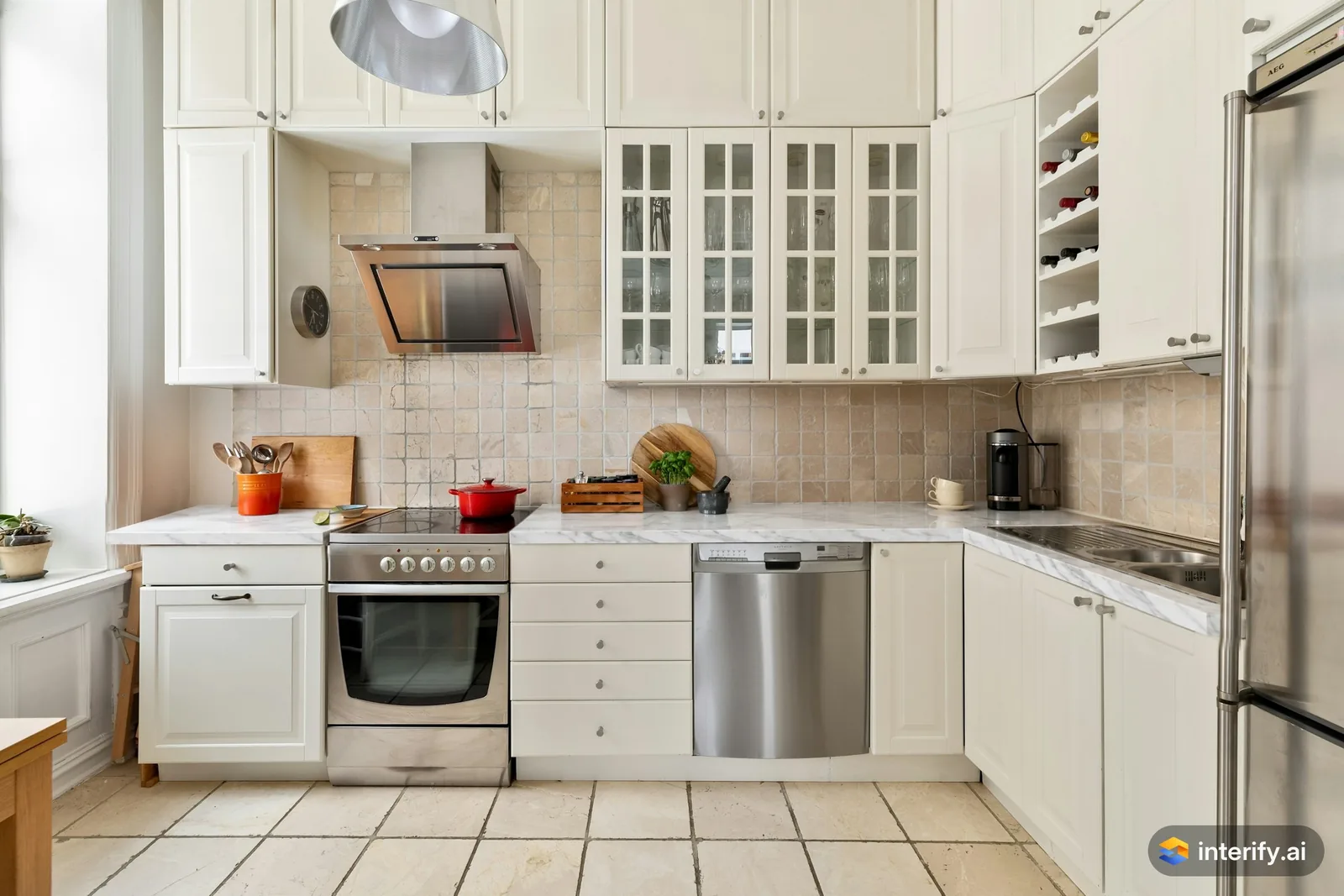
L-shaped kitchen: marble countertop
Kitchen
- White marble countertop with soft gray veining
Made with Interify
Common questions
Can I see a new countertop in my own kitchen?
Yes. Mark the counter surface, set the action to Replace material and name the material, the pattern, the thickness, the edge and the finish.
Can I keep my cabinets and change only the counter?
Yes. Mark the counter alone, with no style. The cabinets, backsplash and appliances outside the marked area stay as they were.
Will the stone look exactly like my sample?
No. Natural stone varies between slabs, and a preview shows the kind of pattern rather than a specific piece. Approve the real slab before it is cut.
Can I preview a waterfall island?
Yes. Mark the island top and the visible end, and say in the note that the stone should run down the end.
Read on
- KitchenA kitchen remodel visualizer that works on your own photo: mark the cabinets, counters or backsplash, say what each should become, and compare versions.
- Kitchen cabinetsSee your kitchen cabinets in another color or door style: mark the doors in your photo, name the color, finish and hardware, and compare versions.
- BacksplashSee a new backsplash in your own photo: mark the wall behind the counter, name the tile, layout and grout, and compare it against your cabinets.
- ContractorsAgree on the look with a client before work starts: preview the change on their own photo. A preview is not a quote, a measurement or a drawing.
- Minimalist styleWhat the Minimalist preset does to a room, and when to pick it.
- How it worksThe whole walkthrough, from the photo to the share link.
See it in your own room
The sample room needs no account. Your own photo starts with 3 credits free and no card.