

Visualize
Cabinet color visualizer for your own kitchen
To see your kitchen cabinets in a different color, photograph the run, mark the doors, and name the color, the finish and the hardware. Without a style, Interify changes only the cabinets you marked and keeps the counter, backsplash and layout as they were.
Upper cabinetsFlat-front doors in warm white, matte, no handles, push to open
Key facts
- Mark and describe
- Rectangle, lasso and marker tools outline the areas to change; each area gets its own note.
- Try again
- Runs the same request again for a different take. The first Try again of each version is free.
- Cost of a version
- 1 credit. Packs start at $9 for 30 credits, down to $0.16 a credit
- Output
- HD results, up to 3072 px
How to do it in Interify
Photograph the run square on
Stand back far enough to get the uppers, the bases and the counter between them in one frame, as square to the fronts as the room allows.
Mark uppers and bases as separate areas
Two areas, two notes. This is what lets you try light above and dark below, which is the question most people actually have.
Name the color, the finish and the door style
Say whether the doors are flat fronts, shaker or beaded, since the style changes the color as much as the color does. Matte and satin read very differently in a kitchen.
Put the hardware in the same note
Handles and knobs are too small to outline reliably, so describe them where you describe the doors: the shape, the finish and roughly where they sit.
Try again if a version is close
Try again runs the same request for a different take, and the first Try again of each version is free. Use it when the color is right and the detail isn't.
Notes you can copy
Each marked area carries its own note. Copy one of these and change the words that don't fit your room.
- Upper cabinets
- Flat-front doors in warm white, matte, no handles, push to open
- Base cabinets
- Shaker doors in deep forest green, matte, slim brass bar pulls
- All cabinets
- Keep the doors, paint them soft gray-green and change the knobs to matte black
- Island
- Panel the island in oak with the top overhanging on the seating side
- Tall cabinet
- Full-height cabinet doors painted the wall color so it reads as a wall
- One upper run
- Remove the upper cabinets on this wall and add two oak open shelves
Photographing the room
The photo decides how much of the result looks like your room.
- Clear the counters and the fronts. Magnets, dish towels and a kettle all survive into the preview.
- Switch the under-cabinet lights off and shoot in daylight, so the current door color is honest.
- Open nothing. Closed doors give clean shapes to mark and a cleaner result.
- Keep the floor-to-base line and the counter line in frame, so the new fronts stop where they should.
- Take a second shot of the island or the tall run separately if one frame can't hold the whole kitchen.
Repaint, reface or replace
If the boxes are solid and the layout works, painting or replacing the doors gets you most of a new kitchen for a fraction of the cost and disruption. Refacing swaps the fronts and keeps the cabinet boxes. Replacing is only necessary when the boxes are failing or the layout has to change.
A preview is most useful for the first two, because the question is purely how it will look. Mark the doors and try the colors before you commit to the cheapest version of the project.
Door style changes the color
A flat front reads as one plane of color, calm and modern. A shaker door has a frame and a recessed panel, so it catches shadow and reads softer and more traditional. The same green looks like two different greens on those two doors.
Write the door style into the note. It costs nothing in the preview and it is the difference between a kitchen that looks current and one that looks classic.
Two-tone kitchens, and why they work
Darker bases with lighter uppers is the common arrangement: the heavier color sits low where it is less visible and less likely to shrink the room, and the lighter uppers keep the eye up.
The inverse is possible and much riskier. Previewing both takes two versions and tells you more than any amount of browsing other people's kitchens.
Hardware: the cheapest visible change
Handles are jewelry on a kitchen, and the metal finish ties them to the faucet and the lights. Brass reads warm, matte black reads graphic, brushed nickel is quiet. Bar pulls look modern on flat fronts; knobs suit framed doors.
Because handles are cheap and easy to swap, people buy them without previewing and then live with the mismatch. Name them in the cabinet note and check them against your counter color first.
Open shelving, honestly
Open shelves look light and make a kitchen feel less boxed in. They also mean everything on them is on display and gathers dust and cooking grease, which is why they suit a wall away from the cooktop.
Mark one upper run, ask for shelves instead, and see the trade in your own kitchen before taking a cabinet off the wall.
What to expect
What a preview settles, and what it can't.
- A preview doesn't know what your doors are made of. Laminate and thermofoil fronts can't simply be painted the way wood can, so check before you plan a repaint.
- It changes faces, not boxes. Cabinet box sizes, drawer layouts and interior hardware are not what a photograph of a change settles.
- Color and sheen on a screen are an approximation. Get a painted sample door or a large brushout before committing.
- It is not a quote, a measurement or a drawing. A kitchen installer still needs to make a site visit.
Examples
Made with Interify, each from one photo and the areas marked on it. Switch a card between the original and the result.
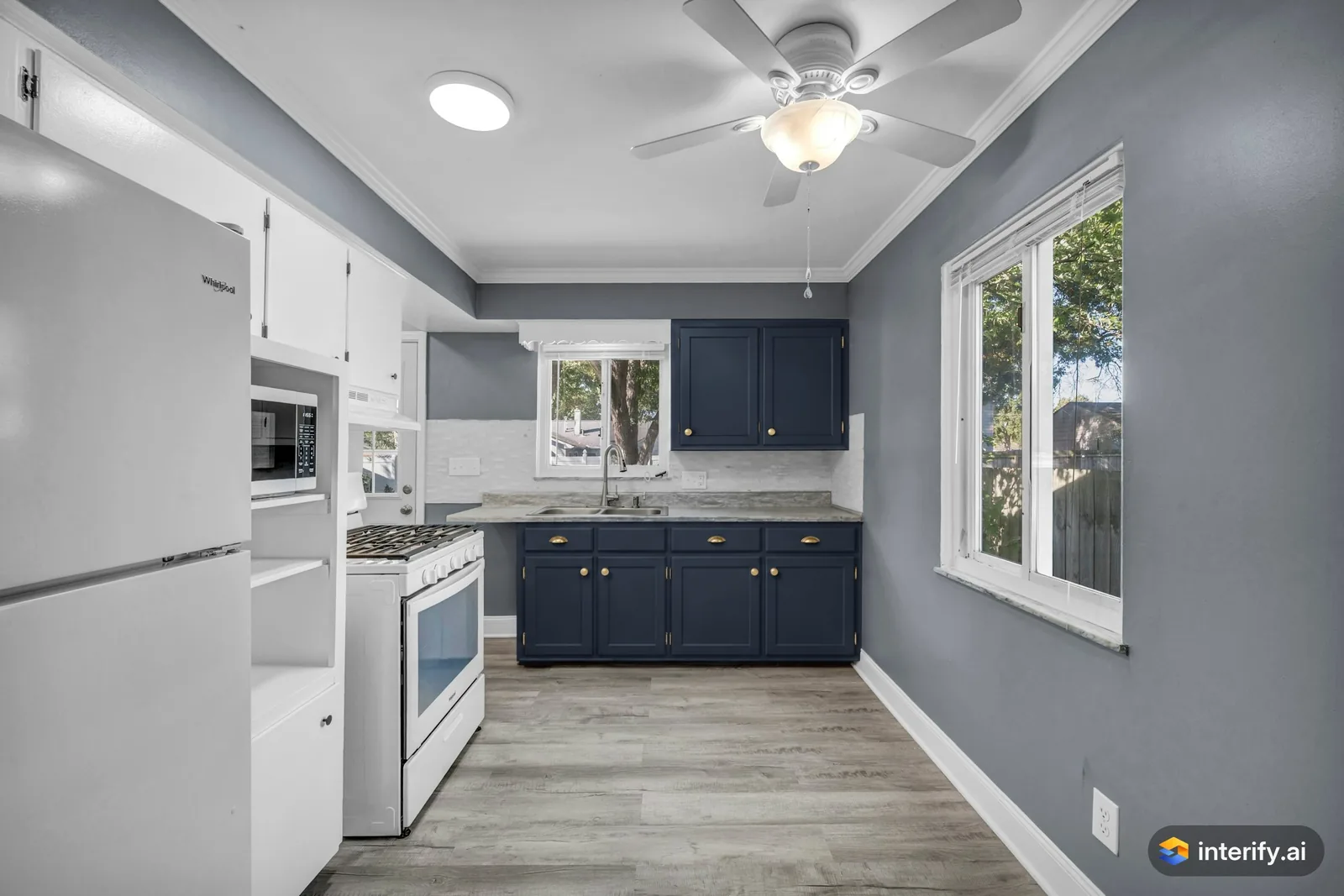
Galley kitchen: navy cabinets
Kitchen
- Deep navy blue cabinets with brass pulls
Made with Interify 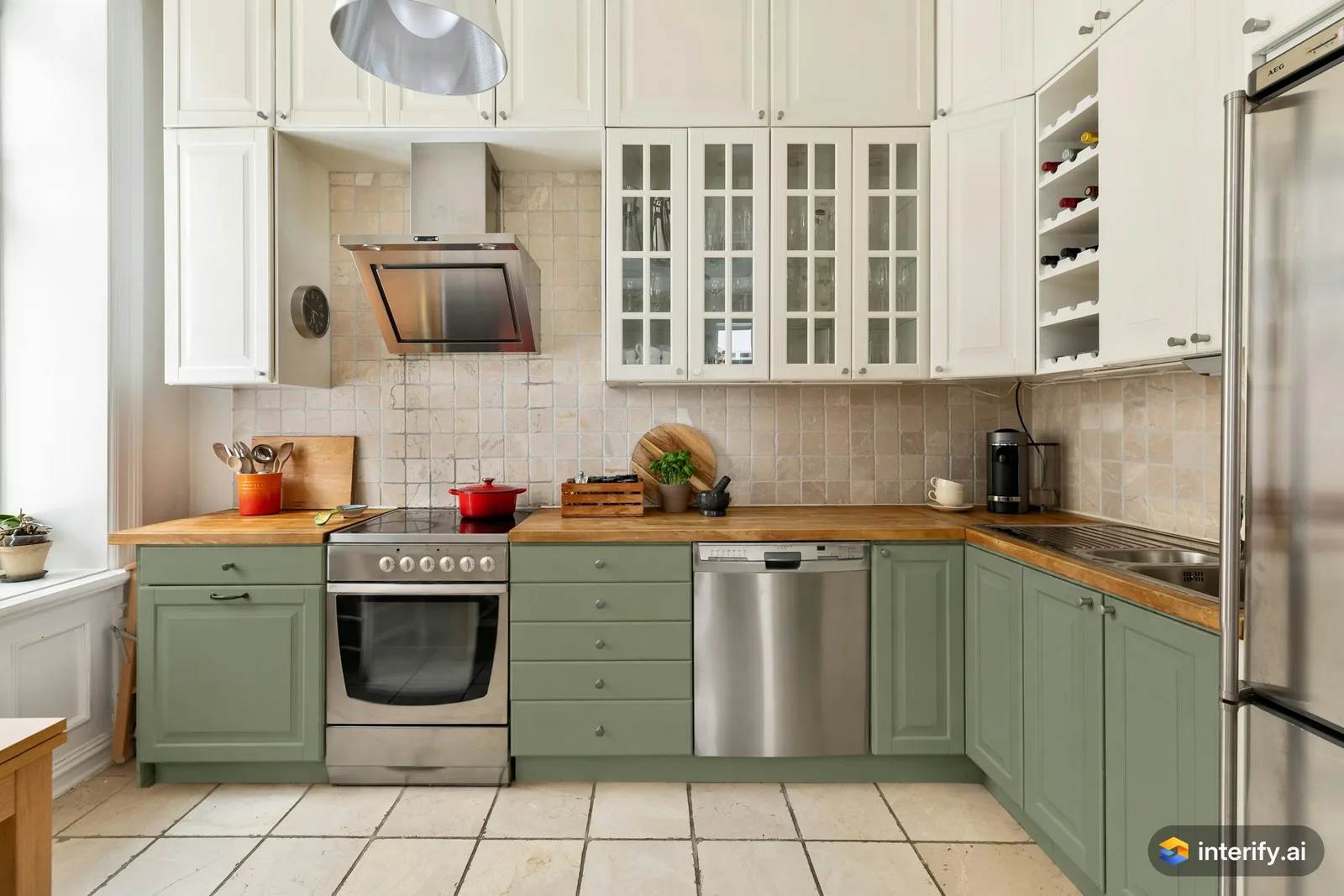
L-shaped kitchen: sage green lower cabinets
Kitchen
- Sage green lower cabinets, keep the oven and dishwasher
Made with Interify
Common questions
Can I see my kitchen cabinets in a different color?
Yes. Mark the doors, set the action to Change color and name the color, the finish and the hardware. With no style, the counter, backsplash and appliances stay as they were.
Can I preview new door styles on my existing kitchen?
Yes. Describe the door style in the note, such as flat fronts or shaker, along with the color. Without a style preset, the layout and the boxes stay where they are.
Can I try a two-tone kitchen?
Yes. Mark the uppers and the bases as two areas in the same version and give each its own note.
Can my cabinets actually be painted?
That depends on what they are made of, and a preview can't tell. Wood and MDF usually take paint; laminate and thermofoil need specialist preparation or new doors.
Read on
- KitchenA kitchen remodel visualizer that works on your own photo: mark the cabinets, counters or backsplash, say what each should become, and compare versions.
- CountertopsA countertop visualizer that uses your photo: mark the counter, name the stone, edge and finish, and see it against your cabinets and backsplash.
- BacksplashSee a new backsplash in your own photo: mark the wall behind the counter, name the tile, layout and grout, and compare it against your cabinets.
- Paint colorsA paint color visualizer that uses your own photo: mark the wall and name the color, and with no style the trim and furniture stay as they were.
- ContractorsAgree on the look with a client before work starts: preview the change on their own photo. A preview is not a quote, a measurement or a drawing.
- How it worksThe whole walkthrough, from the photo to the share link.
See it in your own room
The sample room needs no account. Your own photo starts with 3 credits free and no card.